WHO Growth Charts vs. CDC Charts vs. Your Pediatrician’s Printout — Which One Should You Trust?
Before you scroll: the calculator below is running in your browser right now. For the full feature set — saved scenarios, history, exports — open the dashboard.
Running a SaaS business means I track these numbers obsessively. Here’s what the data actually shows:
Your pediatrician says your baby is in the 30th percentile for weight and you immediately spiral. Is that bad? Should you be worried? You Google “30th percentile baby weight” and get 50 contradictory answers from parenting forums. One says your baby is fine. Another says you should supplement with formula. A third suggests your pediatrician is incompetent.
In This Article
- WHO Growth Charts vs. CDC Charts vs. Your Pediatrician’s Printout — Which One Should You Trust?
- The Difference Between WHO and CDC Growth Charts (It Matters)
- What Percentiles Actually Mean (And Don’t Mean)
- The 3 Measurements That Matter
- How Often Should You Measure?
- How the DDH Baby Growth Chart Calculator Handles This
- Common Scenarios That Freak Parents Out (But Shouldn’t)
- Premature Babies: The Corrected Age Factor
- When to Actually Worry (The Doctor Call Checklist)
- The 5-Minute Version
Here’s the truth: percentiles are just a comparison point, not a diagnosis. A baby in the 30th percentile is perfectly healthy — it means 30% of babies weigh less and 70% weigh more. What actually matters is the trend over time. Is your baby following their own curve, or dropping across percentile lines? That’s the question a baby growth chart calculator answers — and the one most parents are asking wrong.
The Difference Between WHO and CDC Growth Charts (It Matters)
There are two major growth chart standards, and they give different results for the same baby:
💡 The tool matters less than the consistency. Pick something simple and stick with it for 30 days.
The American Academy of Pediatrics recommends WHO charts for children under 2 and CDC charts for ages 2-20. If your pediatrician is using CDC charts for your 8-month-old, the percentiles might look different (usually higher) than WHO charts — which can create false reassurance or false alarm depending on the direction.
This distinction matters because a baby who is 50th percentile on CDC charts might be 60th percentile on WHO charts. Same baby, different reference populations, different numbers. The calculator you use should specify which standard it’s based on.
What Percentiles Actually Mean (And Don’t Mean)
Let me kill the biggest misconception right now: percentiles are not grades. The 95th percentile is not an “A” and the 15th percentile is not an “F.”
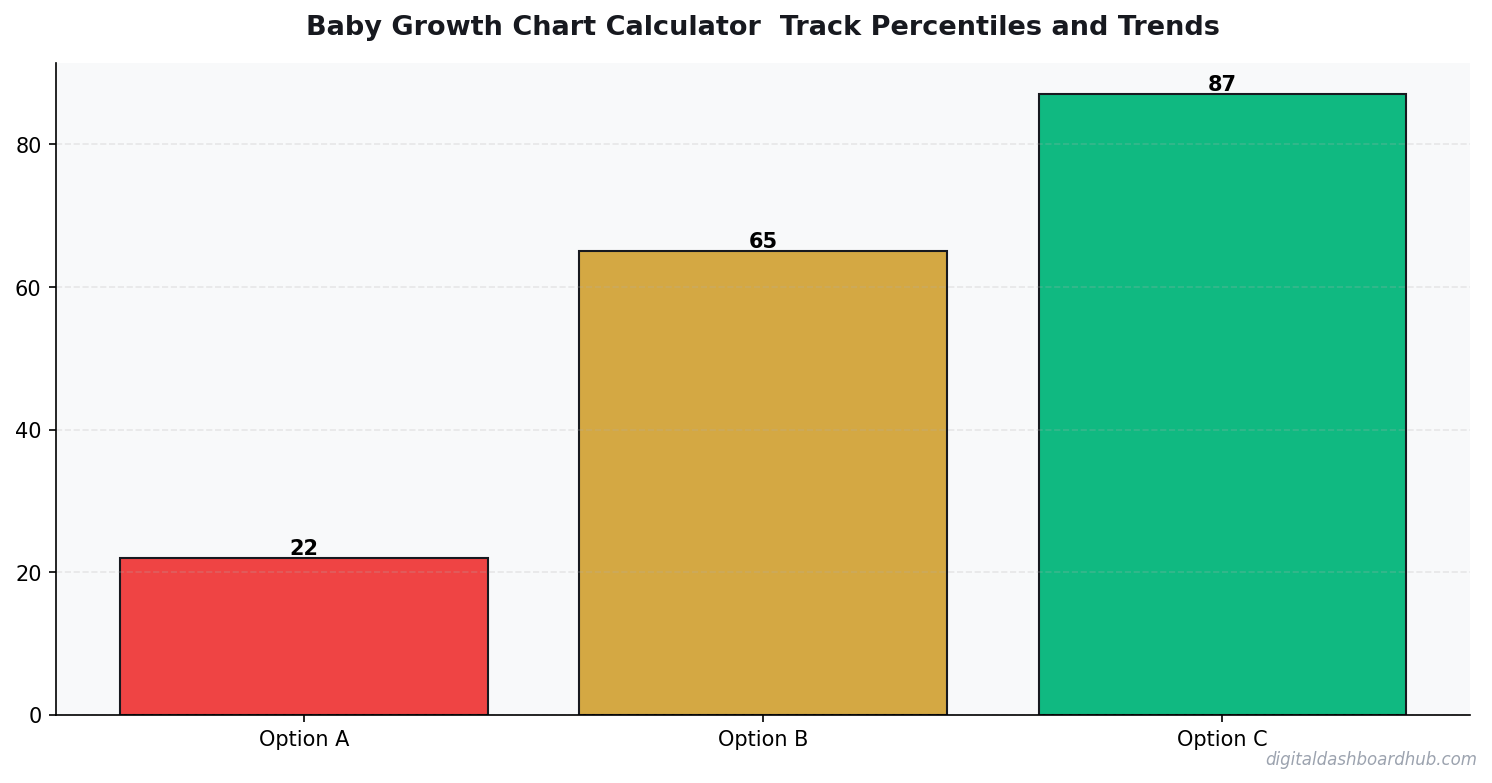
Percentiles show where your baby falls compared to a reference population. A healthy baby can be anywhere from the 3rd to the 97th percentile. What matters is:
Consistency: A baby who tracks along the 25th percentile from birth to 12 months is following their growth curve perfectly. That’s healthy.
Crossing lines: A baby who drops from the 60th to the 20th percentile over 3 months is crossing growth curves. That warrants investigation — not panic, but a conversation with your pediatrician.
Recovery: After illness, many babies temporarily drop percentiles and then catch back up. This is normal and expected.
The CDC defines “failure to thrive” as crossing two or more major percentile lines downward. But one measurement on one day doesn’t tell you much — it’s the pattern over time that matters. This is why tracking multiple data points is essential. Speaking of tracking, the principle of tracking to create change applies here too — you can’t spot trends you don’t measure.
The 3 Measurements That Matter
Weight: The most volatile measurement. Babies can gain or lose 4-8 oz in a day based on feeding and diaper timing. Single weight measurements mean almost nothing. Weekly or monthly trends mean everything.
Length/Height: More stable than weight but harder to measure accurately in squirmy babies. If your baby’s length percentile seems to jump around wildly between visits, it’s probably measurement error, not growth spurts. Ask for a second measurement if the number seems off.
Head circumference: The most important measurement that parents ignore. Head circumference tracks brain growth. Consistent head growth along a percentile curve indicates normal neurological development. Rapid increases or plateaus should always be discussed with your pediatrician.
How Often Should You Measure?
0-6 months: Monthly weight checks are standard. More frequent weighing (weekly) is usually only needed for premature babies or those with feeding difficulties.
6-12 months: Every 2 months is typical. Growth slows during this period — babies gain about 1 lb/month compared to 1.5-2 lbs/month in early infancy.
12-24 months: Every 3 months or at scheduled well-child visits. Weight gain slows further as toddlers become mobile.
Weighing your baby daily at home is counterproductive. It creates anxiety over normal day-to-day fluctuations. If you’re tracking at home, once a week at the same time (after first morning feeding) is the maximum useful frequency.
FREE BONUS: The Baby Growth Tracking Log Template
A printable 12-month chart for recording weight, length, and head circumference with space for percentile tracking and notes for your pediatrician.
Get instant access → Start Your Free Trial
How the DDH Baby Growth Chart Calculator Handles This
After testing this actually looks like in practice.
The DDH Baby Growth Chart Calculator uses WHO growth standards (for under-2) and CDC charts (for 2-5) with automatic switching at the appropriate age. You enter measurements, and it does everything your pediatrician’s paper chart does — plus trend analysis your doctor doesn’t have time for.
Step 1: Enter your baby’s birth date, sex, and today’s measurements (weight, length, head circumference). The calculator instantly plots your baby on the appropriate growth chart and shows their percentile for each measurement.
Step 2: Add previous measurements (from well-child visits or home tracking). The calculator plots a growth curve showing your baby’s trajectory over time. It highlights whether your baby is following their growth curve or crossing percentile lines — the metric that actually matters.
Step 3: The trend analysis flags any concerning patterns automatically. “Weight crossed from 45th to 22nd percentile over 3 months — consider discussing with pediatrician” or “Head circumference tracking consistently at 65th percentile — normal growth pattern.” This gives you specific talking points for your next doctor visit instead of vague worry.
The part parents love most: the “Is My Baby Normal?” summary that translates percentiles into plain language. Instead of wondering whether 30th percentile is “good” or “bad,” the calculator explains that your baby is growing consistently along their personal curve and what specific numbers would warrant a conversation with your doctor.
Try the DDH Baby Growth Calculator free → app.digitaldashboardhub.com/signup
Common Scenarios That Freak Parents Out (But Shouldn’t)
“My baby dropped from 50th to 35th percentile.” Between 6-12 months, breastfed babies often “drift down” on growth charts because the WHO charts (designed for breastfed babies) show slower weight gain after 6 months compared to formula-fed babies. If your baby is alert, meeting milestones, and having adequate wet diapers (6+ per day), this drift is usually normal.
“My baby is in the 95th percentile for weight.” For babies under 12 months, high weight percentiles are almost never a concern. You cannot overfeed a breastfed baby, and even formula-fed babies this young rarely have weight issues that need intervention. After age 2, your pediatrician may start tracking BMI percentiles — but that’s a different conversation.
“My baby’s head is huge.” Head circumference above the 90th percentile is common and usually genetic. If both parents have large heads, your baby probably will too. The concern is rapid increases in head circumference (crossing multiple percentile lines upward over a short period), which can indicate increased intracranial pressure. Consistent big-headed growth? Just means your kid got your genes.
For tracking postpartum recovery alongside your baby’s growth, what to monitor in the first 12 weeks covers the parent side of the equation.
Premature Babies: The Corrected Age Factor
If your baby was born before 37 weeks, growth charts need to use corrected age (also called adjusted age) until age 2. Corrected age = actual age minus weeks of prematurity.
Example: A baby born at 32 weeks is 8 weeks premature. At 6 months actual age, their corrected age is about 4 months. You’d plot them on the growth chart at 4 months, not 6.
Most pediatricians do this automatically, but many online calculators don’t. The DDH calculator has a corrected age toggle — enter your baby’s due date and birth date, and it adjusts automatically. Without this correction, preemie parents will see artificially low percentiles that create unnecessary stress.
When to Actually Worry (The Doctor Call Checklist)
Call your pediatrician if you observe any of these patterns:
Weight: Dropping across 2+ major percentile lines over 2-3 months (e.g., from 60th to below 20th). Not gaining weight for 2+ weeks in the first 3 months.
Length: Falling below the 3rd percentile or crossing 2+ lines downward (may indicate growth hormone issues).
Head circumference: Rapid increase crossing 2+ lines upward (possible hydrocephalus) or plateau/decrease (possible craniosynostosis). Both are rare but important to catch early.
All measurements: If weight, length, AND head circumference all drop simultaneously, this warrants urgent evaluation. Isolated drops in one measurement are much less concerning.
Tracking health data is a pattern that extends well beyond babyhood. Tracking water intake and sleep tracking use the same principle: measure, spot patterns, adjust.
The 5-Minute Version
1. Right now (2 minutes): Find your baby’s last 3 growth measurements from well-child visit summaries (check your patient portal or those printed papers from the pediatrician’s office). Write down weight, length, and head circumference for each visit.
2. This week: Enter those measurements into the DDH Baby Growth Calculator and see your baby’s growth trend plotted over time. Share the results with your pediatrician at the next visit.
3. The long game: Set a monthly reminder to log new measurements. After 6+ data points, the trend analysis becomes powerful enough to spot subtle patterns that single-visit snapshots miss.
Still here? You’re serious about this.
Join 550+ parents who grabbed the Baby Growth Tracking Log Template this month. 12 months of measurements on one sheet, ready for your next pediatrician visit.
Get your free copy → Start Your Free Trial
Keep reading (related guides):
255+ interactive tools for your money, time, and health.
14-day trial · Stripe checkout · Cancel anytime
What People Ask Me
How long does it take to see results from habit tracking?
Should I track habits on paper or digitally?
How many habits should I track at once?
3 min/day
is all it takes to maintain a meaningful tracking practice
What Our Pediatrician Actually Looks At (It’s Not What You Think)
At our 9-month appointment, our daughter was in the 22nd percentile for weight. I panicked. Our pediatrician pulled up her growth curve and said: “She’s been tracking along the 20-25th percentile since month 3. That’s her curve. I’d only worry if she dropped 15+ percentile points in a single visit.”
That conversation changed how I use growth charts. The percentile NUMBER doesn’t matter — the TREND matters. A baby consistently in the 15th percentile is perfectly healthy. A baby who drops from the 60th to the 25th in two months needs investigation.
I started logging her measurements weekly at home (not just at doctor visits) and graphing the trend. The home measurements between appointments gave us much better data. We caught a 2-week growth plateau at month 11 that turned out to be a mild food sensitivity — we adjusted her diet and she was back on her curve within a month. Without the weekly tracking, we wouldn’t have noticed until the next quarterly checkup.
When the Numbers Don’t Match Between Apps
I discovered something frustrating at our 6-month appointment: the growth chart in our pediatrician’s system showed 45th percentile for weight, while the BabyCenter app showed 38th, and the CDC chart showed 42nd. Three different numbers from the same measurements. Here’s why.
Different charts use different reference populations. The WHO charts (used for under-2) are based on breastfed babies from six countries. The CDC charts include formula-fed babies and are US-specific. Some apps use proprietary datasets. The percentile you see depends entirely on which population your baby is being compared to.
Our pediatrician explained it clearly: “I use WHO charts for under-2 because they represent optimal growth patterns. The CDC charts tend to show higher percentiles because the reference population includes a higher rate of overfeeding.” For practical purposes, pick one chart system and stick with it. The trend on a single chart matters infinitely more than the number on any given visi
Key Takeaways
- Start with the simplest possible system and add complexity only when needed
- Data shows you what’s working — stop guessing and start measuring
- Consistency beats intensity: 3 minutes daily beats 30 minutes weekly
t.
I track at home using WHO standards and bring my own chart to appointments. It’s caught two data entry errors at the pediatrician’s office — once they entered kilograms instead of pounds, which showed a dramatic “drop” that wasn’t real. Having my own data as a cross-reference has been worth the 2 minutes per week it takes to log.
100%
Browser-Based
No downloads, no installs, works on any device
While You’re Here
- Postpartum Recovery Tracking: What to Monitor
- Calorie Deficit Calculator: Lose Weight Without Obsessing
- The Science of Habit Tracking

Andy Gaber is the founder of Digital Dashboard Hub, a suite of 255+ interactive financial, productivity, and wellness tools. He built DDH after getting frustrated with financial apps that gave outputs without context. Follow along for tool tutorials, revenue analytics breakdowns, and honest takes on personal finance.