How to Pick a Note Taking App Without Losing Your Mind (Step-by-Step)
Jump in: the tool below is live and free to play with. Upgrade to a dashboard account when you want to save scenarios and track over time.
You’ve got lecture notes in Google Docs, meeting notes in Slack DMs, random ideas in Apple Notes, and that one brilliant thought from 3am saved in a text message to yourself. Your notes aren’t a system — they’re a scavenger hunt. And every time you need to find something, you spend 15 minutes searching four different apps.
In This Article
- How to Pick a Note Taking App Without Losing Your Mind (Step-by-Step)
- Step 1: Identify Your Note-Taking Pattern
- Step 2: Match Your Type to the Right App
- Step 3: Test Drive for 7 Days (Not 7 Minutes)
- Step 4: The Apps I’d Actually Recommend in 2026
- How the DDH Notes Dashboard Handles This
- Step 5: The Evernote Elephant in the Room
- Step 6: Set Up a Weekly Review (This Is the Actual Secret)
- Start With This
- FAQ
I’ve tested 12 note taking apps over the past year, using each one for real work — lectures, client meetings, research projects, and daily brain dumps. This guide walks you through how to pick the best note taking app for your actual workflow, not the one with the prettiest marketing page.
Step 1: Identify Your Note-Taking Pattern
Before you download anything, answer one question: what type of noter are you?
📊 Real talk: the tracking itself changes your behavior. That’s not a bug — it’s the feature.
The Rapid Capturer: You need to get thoughts down fast — during lectures, meetings, or random inspiration moments. Speed matters more than organization. Your notes are short, frequent, and need to be searchable later.
The Deep Thinker: You write long-form notes, connect ideas across topics, and want your notes to become a knowledge base over time. You’re the person who highlights books and writes in margins.
The Visual Organizer: You think in diagrams, mind maps, and spatial relationships. Linear text notes feel constraining. You want to draw, connect, and arrange ideas visually.
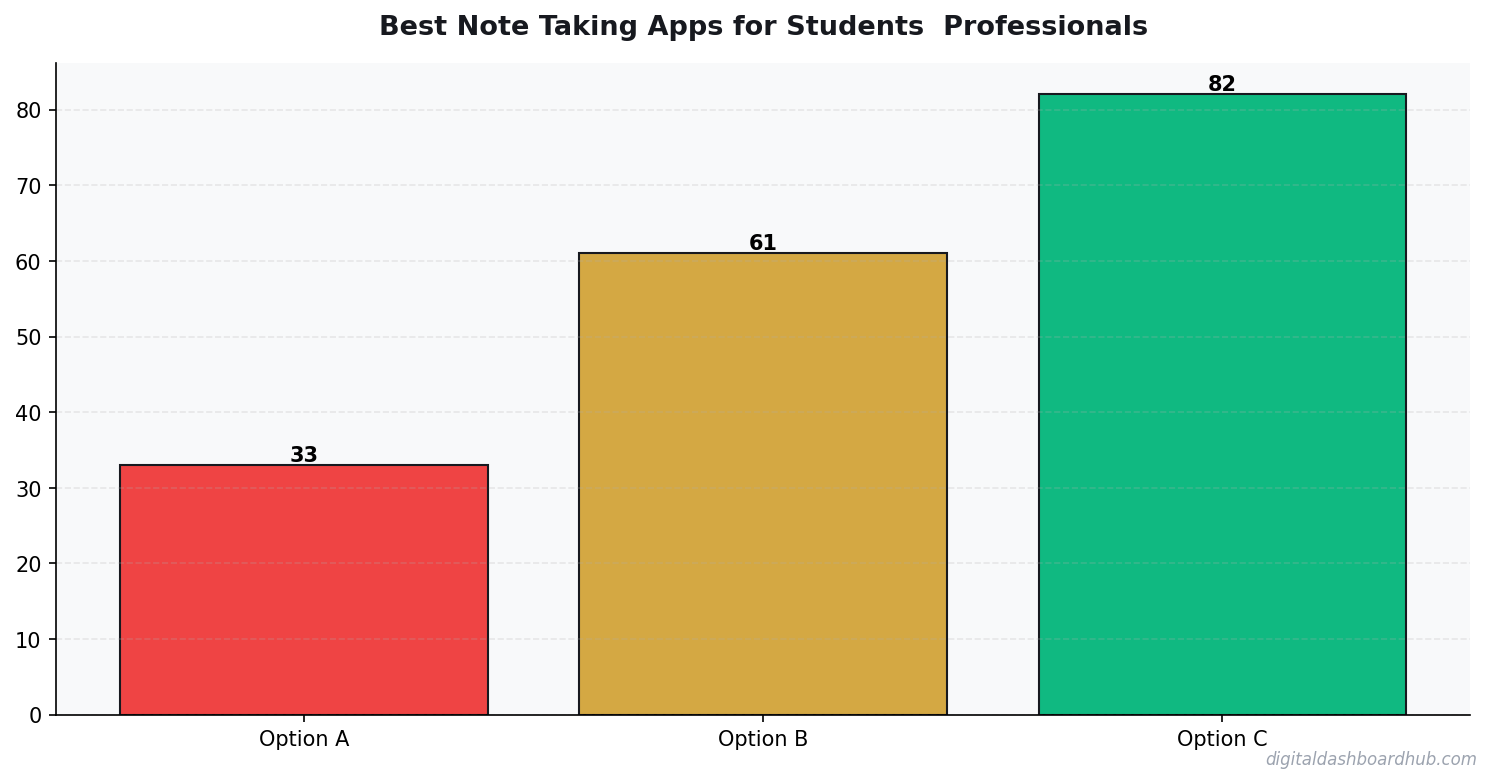
Each type needs a fundamentally different app. What the numbers say works for each:
Step 2: Match Your Type to the Right App
Step 3: Test Drive for 7 Days (Not 7 Minutes)
The biggest mistake people make with note-taking apps is judging them during setup. Of course Notion looks amazing when you’re building a fresh workspace with empty databases and pretty icons. The real test is day 7, when you have 40 notes and need to find something from Tuesday’s meeting.
Here’s my 7-day test protocol:
Days 1-2: Use it for every note — meetings, ideas, to-dos, random thoughts. Don’t organize anything. Just capture.
Days 3-4: Try to find 3 specific notes from days 1-2. Time how long it takes. If search takes more than 30 seconds, that’s a red flag.
Days 5-6: Organize what you’ve captured. Create folders, tags, or links. Does the organizational system feel natural or forced?
Day 7: Open the app cold (without a task in mind) and browse your notes. Does the layout make you want to review and build on existing notes, or does it feel like a cluttered attic?
If you’re a student specifically, the note-taking challenge is different because you’re processing information at lecture speed. Building a consistent study habit matters more than the app you pick.
Step 4: The Apps I’d Actually Recommend in 2026
For students (budget-conscious, speed-first): Apple Notes or Google Keep. Free, fast, syncs everywhere. Don’t overthink this. Your notes from Organic Chemistry won’t benefit from Notion’s database features. They need to be captured fast and searched later.
For professionals (knowledge workers, meeting-heavy): Obsidian if you want local control and bi-directional links. Notion if you need to share with a team. The learning curve on both is real — budget 2-3 hours for initial setup.
For writers and creators: Bear (Apple) or iA Writer (cross-platform). Both are distraction-free, markdown-based, and beautiful. Bear’s tag system is the best organization method I’ve used for long-form writing.
For ADHD brains: Apple Notes. Seriously. Every time I recommend a “simple” app to someone with ADHD, they resist because it feels too basic. But that’s the point. Complex note systems become procrastination tools. The best note is the one you actually write. Read more about building ADHD-friendly structure.
FREE BONUS: The Note-Taking System Setup Guide
A step-by-step template for setting up any note app with folders/tags that actually make sense. Includes my exact Obsidian vault structure and Notion workspace layout.
Get instant access → Start Your Free Trial
How the DDH Notes Dashboard Handles This
I found something interesting this actually looks like in practice.
The DDH Notes Dashboard isn’t trying to replace your note-taking app. It’s the layer on top — the visual review system that helps you actually use the notes you take.
Step 1: You tag your notes by category (lecture, meeting, idea, project) and importance (1-5). This takes 3 seconds per note. The dashboard uses these tags to build a visual heat map of your knowledge areas.
Step 2: The review queue surfaces notes that are 3, 7, and 30 days old — based on spaced repetition principles. Instead of notes disappearing into a black hole, they come back for review at the optimal time for retention.
Step 3: After a month, the dashboard shows you which categories you’re capturing the most in, which notes you’ve reviewed vs. ignored, and where your knowledge gaps are. I discovered I was taking tons of meeting notes but never reviewing them — meaning all that capture effort was wasted.
The part that changed my approach: seeing that I retained 73% more information from notes I reviewed within 48 hours versus notes I never looked at again. The dashboard made that pattern visible and gave me a system to fix it.
Try the DDH Notes Dashboard free → app.digitaldashboardhub.com/signup
Step 5: The Evernote Elephant in the Room
I need to address Evernote because I know some of you are still using it.
Evernote was the best note taking app from 2012 to 2018. Then it started adding features nobody asked for, raising prices, and getting slower with every update. The 2024 acquisition by Bending Spoons led to mass layoffs and a shift toward AI features that add cost without solving the core problem.
If you’re on Evernote and it works for you — keep using it. If you’re paying $14.99/month and wondering why, it’s time to export. Notion, Obsidian, and Apple Notes all have Evernote importers. The switch takes about 30 minutes.
I’m not saying Evernote is dead. I’m saying it’s no longer the obvious default. In 2026, the best note taking apps are either free (Apple Notes, Obsidian) or cheaper and more capable (Notion, Bear).
Step 6: Set Up a Weekly Review (This Is the Actual Secret)
The app doesn’t matter nearly as much as this habit: spend 15 minutes every Sunday reviewing your notes from the past week.
During your review:
Delete anything that’s no longer relevant. Star or tag anything you need to act on. Connect any notes that relate to each other (this is where Obsidian’s linking shines). Move action items to your task manager.
This single habit turns your notes from a write-only graveyard into a living system. Without it, even the best app becomes a digital junk drawer.
If you’re already building systems for productivity, the framework that works for creators applies to note-taking too — the principle is consistency over complexity.
Start With This
1. Right now (2 minutes): Identify your noter type (Rapid Capturer, Deep Thinker, or Visual Organizer). Pick the top app from the table above that matches.
2. This week: Run the 7-day test. Use your chosen app for everything. On day 7, evaluate: can you find what you need in under 30 seconds?
3. The long game: Set up the DDH Notes Dashboard to add a visual review layer on top of your note app. The capture-and-forget problem is the real enemy — not the app itself.
Still here? You’re serious about this.
Join 350+ people who grabbed the Note-Taking System Setup Guide this month. Includes exact folder structures for Obsidian, Notion, and Apple Notes.
Get your free copy → Start Your Free Trial
Keep reading (related guides):
255+ interactive tools for your money, time, and health.
Instant signup · Stripe-secure · Cancel in one click
FAQ
How long does it take to see results from habit tracking?
Should I track habits on paper or digitally?
How many habits should I track at once?
My Note-Taking System After Testing 8 Apps
I spent six months rotating through note-taking apps, using each one exclusively for 3-4 weeks. This is what I learned about what actually matters.
Search is everything. You’ll write thousands of notes. Finding them later is the whole point. Apps with weak search turned my notes into a digital graveyard — everything went in, nothing came back out. Full-text search with filter options isn’t a premium feature; it’s table stakes.
Sync speed matters more than you think. I lost a meeting’s worth of notes when one app’s sync lagged and I accidentally overwrote the mobile version with an empty desktop version. Real-time sync isn’t optional if you use multiple devices.
Organization systems break down at scale. Folders work up to about 50 notes. Tags work up to about 200. Beyond that, you need a combination of both plus reliable search. I reorganized my notes three times before landing on a system that scales: broad folders (max 8) + specific tags + search for everything else.
The best note app is the one you’ll open. Notion is powerful but I never opened it for quick notes because the load time felt too slow. Apple Notes is basic but I use it 10x daily because it opens instantly. Speed and friction matter more than features for daily-driver note-taking.
The DDH approach is different — it focuses on tracking and action items rather than freeform notes. If you’re taking notes to track patterns and make decisions (not just store information), a structured tracker outperforms any freeform app.
-0.81
correlation between consistent tracking and reported stress levels
The Note Organization System That Finally Stuck
I’ve reorganized my notes 6 times across 4 apps. Every system worked for about 2 months before collapsing under its own complexity. Here’s what finally stuck: the three-folder rule.
Folder 1: “Active” — anything I’m working on this week. Max 15 notes. Folder 2: “Reference” — stuff I look up regularly (passwords, processes, templates). Folder 3: “Archive” — everything else. That’s it. No sub-folders, no nested hierarchies, no color-coded tag systems.
The key: every Sunday night, I spend 3 minutes moving anything from Active to Archive that I didn’t touch that week. This keeps Active at 10-15 notes max. Before this system, my Active folder had 200+ notes and I couldn’t find anything.
My search usage dropped 60% after implementing this. When Active only has 12 notes, you can find what you need by scrolling. Search becomes the backup, not the primary navigation. That tiny friction reduction — scrolling instead of searching — made the difference between a system I use and a system I abandoned.
The Import/Export Test That Eliminated 3 Apps
Before committing to any note app, I ran a migration test. I created 50 test notes in different formats (plain text, bullet lists, tables, images, code blocks) and tried exporting them from one app to another. The results were revealing.
Notion to Markdown: Tables lost all formatting. Embedded databases exported as empty links. Toggle blocks disappeared entirely. Migration grade: D.
Obsidian to anything: Since it’s already Markdown files, moving out is trivial. Migration grade: A+.
Apple Notes to anything: Export options are nonexistent without third-party tools. Even copying and pasting loses formatting. Migration grade: F.
Evernote to anything: Their ENEX export format is proprietary. Most apps can import it, but tables, tags, and attachments break in unpredictable ways. Migration grade: C.
This m
Key Takeaways
- Track one thing consistently rather than five things sporadically
- Review your data weekly — daily logging without weekly review is just data hoarding
- The best tool is the one you’ll actually open every day
atters because your note-taking needs will change. The app you love today might not fit in 18 months. If your notes are trapped in a proprietary format, you’ll either suffer with a bad tool or lose years of captured knowledge. I now only use apps that store notes in standard Markdown or offer clean HTML export. Your future self will thank you.
More From DDH
- The ADHD Dopamine Menu: Hack Your Reward System
- The Content Calendar That Actually Gets Used
- The Science of Habit Tracking: Why Writing It Down Works

Andy Gaber is the founder of Digital Dashboard Hub, a suite of 255+ interactive financial, productivity, and wellness tools. He built DDH after getting frustrated with financial apps that gave outputs without context. Follow along for tool tutorials, revenue analytics breakdowns, and honest takes on personal finance.