Private Cycle Tracking vs. Data-Selling Apps — Which Side Are You On?
Before you scroll: the calculator below is running in your browser right now. For the full feature set — saved scenarios, history, exports — open the dashboard.
Your period tracker knows more about you than your best friend. It knows when you have sex, when you’re trying to conceive, when your mood crashes, and whether you might be pregnant. And if you’re using one of the most popular apps, that information might be sitting in a database accessible to advertisers, data brokers, or — depending on your state — law enforcement.
In This Article
- Private Cycle Tracking vs. Data-Selling Apps — Which Side Are You On?
- The Data Trail Your Period App Leaves Behind
- What “Private” Actually Means (And What’s Marketing Fluff)
- The 3 Safest Ways to Track Your Cycle in 2026
- How the DDH Cycle Tracker Handles This
- What About Fitbit, Garmin, and Wearable Trackers?
- “I Have Nothing to Hide” — Why That Argument Misses the Point
- How to Migrate Your Data From a Non-Private App
- The Fastest Path Forward
- Tracking Mistakes That Cost Me Months
This isn’t paranoia. It’s the documented reality of the period tracking industry in 2026. The question isn’t whether you should track your menstrual cycle — the health benefits are clear. The question is whether you can do it without handing your most intimate data to strangers. You absolutely can, and I’m going to show you exactly how.
The Data Trail Your Period App Leaves Behind
In 2021, the FTC fined Flo Health for sharing user health data with Facebook and Google analytics despite privacy promises. Flo had 100 million users at the time. That’s 100 million people whose period dates, pregnancy intentions, and sexual activity logs were packaged into advertising profiles.
❤️ Save this article and come back in 30 days to compare your results with mine.
Flo isn’t the worst offender — they were just the one who got caught. A 2024 Mozilla Foundation privacy audit of 25 period tracking apps found that 18 of them (72%) shared data with third parties. Ten of them couldn’t even confirm whether they’d comply with law enforcement data requests.
After the Dobbs v. Jackson decision in 2022, this shifted from a privacy concern to a safety concern. In states with abortion restrictions, period tracking data has become theoretically subpoenable. Whether this has happened in practice is debated — but the legal framework allows it, and that alone should change how you think about where your cycle data lives.
What “Private” Actually Means (And What’s Marketing Fluff)
Every app claims to be “private.” The shift happened when to actually look for:
The gold standard is on-device storage + no ad tracking. If your data never touches a server, it can’t be breached, subpoenaed, or sold. Apple Health achieves this. The DDH Tracker achieves this. Very few others do.
The 3 Safest Ways to Track Your Cycle in 2026
Option 1: Apple Health Cycle Tracking (Free, Apple only)
Data stays on your iPhone and is encrypted with your device passcode. Apple has publicly stated they cannot access Health data even with a warrant (though they could theoretically be compelled to build a backdoor — no company is warrant-proof).
The downside: minimal features. You get period predictions, fertile window estimates, and basic symptom logging. No pattern analysis, no cycle phase education, no correlation tools. It’s a private calendar, not a health dashboard.
Option 2: Paper Tracking (Free, completely private)
Laugh all you want — a paper cycle chart is unhackable, unsubpoenable, and requires zero trust in any company. The Fertility Awareness Method (FAM) community has been using paper charts for decades.
Grab a BBT chart template (free from our fertility tracking guide), a basal thermometer ($12 on Amazon), and track on paper. It works. It’s just slower and less visual than a digital tool.
Option 3: DDH Cycle Tracker (Included in plan, all platforms)
Built specifically for people who want deep cycle analysis without the privacy trade-off. Data stored locally on your device with optional encrypted export for backup. No analytics, no ad SDKs, no third-party data sharing.
Unlike Apple Health, it includes full symptom correlation, cycle phase breakdowns, and pattern recognition over time. Unlike paper, it gives you visual dashboards and automated trend detection.
FREE BONUS: The Period App Privacy Audit Checklist
A 10-point checklist for evaluating any health app’s privacy. Includes the exact questions to search for in privacy policies and what the answers mean.
Get instant access → Start Your Free Trial
How the DDH Cycle Tracker Handles This
This is what private cycle tracking actually looks like in practice.
Let’s say you want to track your cycle with the same depth as Clue or Flo — symptoms, moods, BBT, cervical mucus — but without any data leaving your device.
Step 1: Open the DDH Cycle Tracker in your browser. Log your daily data: flow, symptoms (30+ options), mood, energy, sleep, and optional BBT. Everything saves to local storage on your device. No account required for basic tracking.
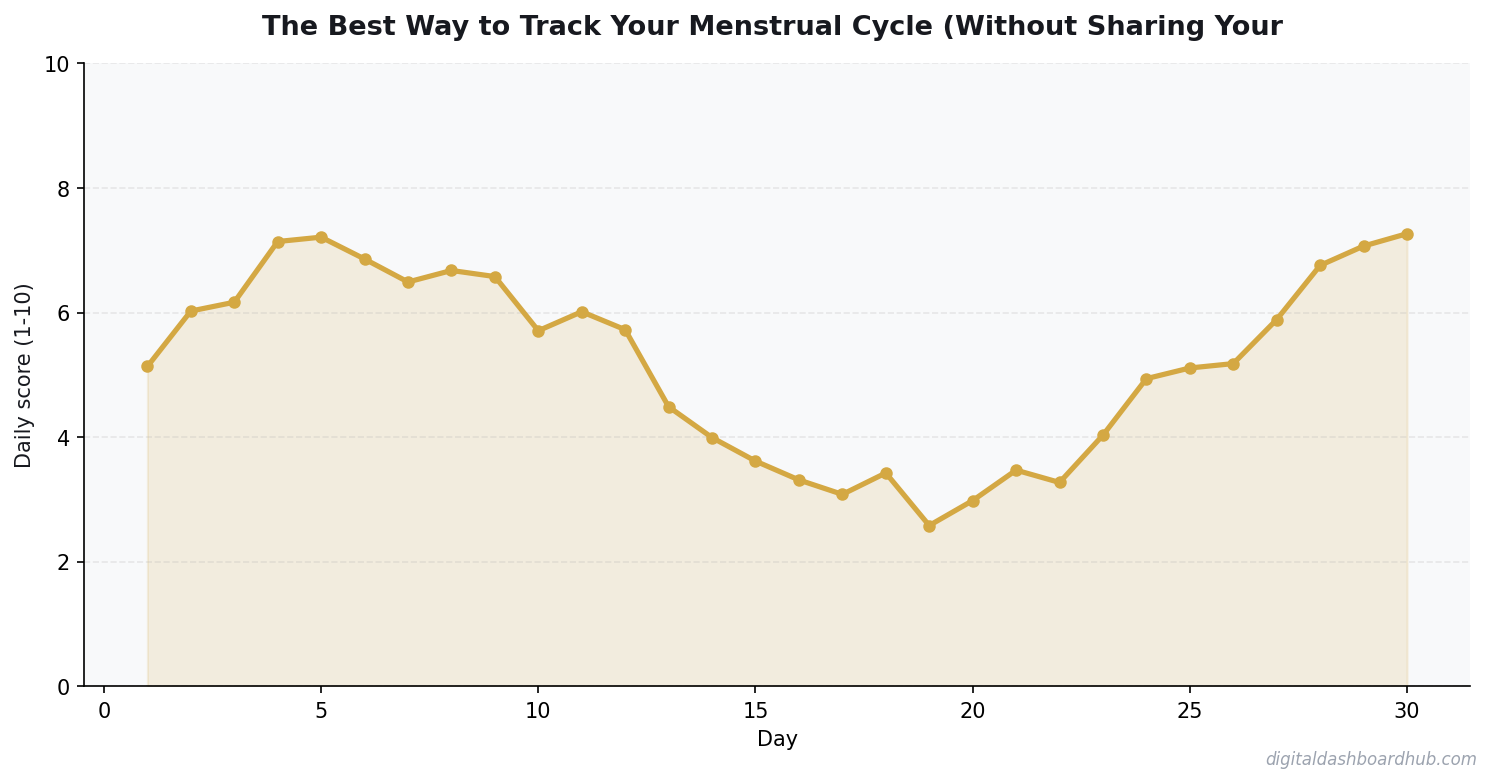
Step 2: After 2 cycles, the pattern engine activates. It identifies your personal cycle phases (not generic 28-day models — your actual follicular, ovulatory, and luteal phase lengths) and maps symptoms to each phase. I saw that my anxiety consistently spiked on days 21-23, which aligned exactly with the progesterone drop before my period.
Step 3: Export a PDF health summary to bring to your OBGYN. The report includes cycle length trends, symptom frequency, and any irregularities flagged by the system. Your doctor gets useful data. No tech company gets anything.
The part that matters most: if you delete the app, the data is gone. No orphaned records on a server somewhere. No “we retain anonymized data for research purposes” clause. Gone is gone.
Try the DDH Cycle Tracker free → app.digitaldashboardhub.com/signup
What About Fitbit, Garmin, and Wearable Trackers?
Fitbit (now owned by Google) added period tracking in 2019. Garmin followed. Samsung Health has it too. These wearable-integrated trackers are convenient but come with a catch: your cycle data syncs to cloud servers managed by tech giants.
Google’s privacy policy allows them to use Fitbit health data for “providing, maintaining, and improving services.” That’s vague enough to drive a truck through. Garmin’s policy is tighter but still involves cloud storage.
If you already use a wearable, the compromise position is: track your period in the wearable app for convenience, but keep detailed symptom logs in a private tool like DDH or Apple Health. Your period dates alone aren’t particularly sensitive — it’s the symptom and fertility data that matters.
“I Have Nothing to Hide” — Why That Argument Misses the Point
You might be thinking: “I’m not doing anything wrong. Why should I care if Flo knows my period is late?”
Three reasons:
Data breaches happen to everyone. Flo, with 100 million users, is a prime target. If (when) they get breached, your menstrual history, sexual activity logs, and pregnancy test results become part of a data dump on the dark web. That’s not theoretical — health data breaches affected 133 million records in 2023 alone (HHS Breach Portal).
Data outlives context. The “I missed a period” entry you made when you were stressed about a job change looks very different if it’s ever viewed alongside a pharmacy purchase of Plan B. Data without context tells whatever story the viewer wants it to tell.
Privacy is about power. When a company has your data, they have use. Targeted ads for pregnancy products when you haven’t told anyone you’re trying. Insurance companies (eventually, inevitably) factoring cycle regularity into risk models. This isn’t science fiction — it’s the logical endpoint of unrestricted health data collection.
For more on how tracking your body helps you advocate for yourself medically, see the perimenopause tracker article — the privacy principles apply across all reproductive health tracking.
How to Migrate Your Data From a Non-Private App
From Flo: Settings > Account > Request My Data. They’ll email you a data export within 30 days. Then delete your account (not just the app — the account). The app deletion alone doesn’t remove server-side data.
From Clue: Settings > Account > Export Your Data. Clue provides a clean CSV export. They’re one of the better companies about this — full deletion upon request.
From Period Tracker (GP Apps): There’s no formal export feature. Take screenshots of your calendar history, then delete the app and request account deletion via email. Expect it to take 30-60 days.
Once you have your historical data, import it into your new tracker manually (most private trackers accept CSV imports) or start fresh. Two to three cycles of new data is enough for any algorithm to establish your pattern.
The Fastest Path Forward
1. Right now (2 minutes): Open your current period tracker’s settings. Search for “privacy,” “data sharing,” or “third party.” Read what you find. If it makes you uncomfortable, that discomfort is valid.
2. This week: Export your data from your current app and set up the DDH Cycle Tracker or Apple Health Cycle Tracking. Import your history so you don’t lose your baseline data.
3. The long game: Audit every health app on your phone using the Privacy Audit Checklist. Period trackers are the most intimate, but fitness apps, sleep trackers, and mental health apps all collect sensitive data too.
Still here? You’re serious about this.
Join 450+ people who grabbed the Period App Privacy Audit Checklist this month. 10 questions that tell you everything you need to know about any health app’s data practices.
Get your free copy → Start Your Free Trial
Keep reading (related guides):
- Free Menopause Symptom Tracker — Try It Now
- Free PCOS Symptom Tracker Dashboard — Try It Now
- Perimenopause Is Not Just Hot Flashes: The Symptom Tracker That Helps You See the Full Picture
- Fertility Diet: What to Eat When Trying to Conceive (From Someone Who Did It)
- How Much Does Therapy Cost in 2026? A State-by-State Breakdown
255+ interactive tools for your money, time, and health.
14-day trial · Stripe checkout · Cancel anytime
Tracking Mistakes That Cost Me Months
Fertility and health tracking has a learning curve. These mistakes are more common than you’d think.
42%
of people abandon complex systems within 2 weeks
Frequently Asked Questions
How long does it take to see results from habit tracking?
Should I track habits on paper or digitally?
How many habits should I track at once?
What 12 Months of Cycle Data Taught Me
After a full year of tracking, I have data that would have changed how I managed my health years ago.
My cycle isn’t 28 days — it ranges from 26 to 31. Knowing my personal range means I stopped panicking every time my period was “late” by textbook standards. It wasn’t late; it was normal for me.
I found a direct correlation between my exercise intensity and PMS severity. Months where I maintained moderate exercise (3-4 sessions/week) had PMS scores averaging 3.2/10. Months where I either over-exercised or barely moved averaged 6.8/10. The data gave me a clear prescription: stay consistent, don’t overdo it.
The privacy concern is real and valid. After reading about data breaches at several period tracking companies, I switched to an app that stores data locally. The DDH tracker keeps everything on-device — no cloud sync means no data to breach. In a post-Roe world, that’s not paranoia
Key Takeaways
- Your patterns are unique — don’t rely on averages or others’ experiences
- The tracking itself changes behavior, even before you act on insights
- Share your data with professionals to get more targeted advice
; it’s common sense.
One unexpected finding: my migraines clustered around day 22-24 of my cycle, every single month. My doctor confirmed this is estrogen withdrawal. Without 12 months of tracked data showing the pattern, I’d still be treating each migraine as a random event instead of a predictable, preventable one.
Worth Reading Next
- Period Tracking 101: What Your Cycle Is Telling You
- PCOS Symptom Tracking: Take Back Control
- How to Regulate Your Nervous System

Andy Gaber is the founder of Digital Dashboard Hub, a suite of 255+ interactive financial, productivity, and wellness tools. He built DDH after getting frustrated with financial apps that gave outputs without context. Follow along for tool tutorials, revenue analytics breakdowns, and honest takes on personal finance.