It’s 2 AM and you just remembered you were supposed to send that invoice three days ago. Or you’re in the shower and suddenly recall a client follow-up that was due yesterday. Your brain stores tasks in the worst possible locations and retrieves them at the worst possible times.
In This Article
- Why Your Brain Is Terrible at Storing Tasks
- The Brain Dump Method (Step-by-Step)
- Why Most Task Systems Fail (And What Works Instead)
- How the DDH Task Tracker Handles This
- The Weekly Review That Prevents Backlog Anxiety
- For the ADHD Brain: Extra Modifications
- The Practical Takeaway
You don’t need a better memory. You need a task memory system — an external brain that catches everything so your actual brain can stop running background anxiety processes 24/7. I’ve tested a dozen approaches over two years, and I’m going to show you the one that finally stuck.
Why Your Brain Is Terrible at Storing Tasks
The dashboard below loads instantly in your browser. Plug in your numbers, see your answer. No signup to try the basics.
This isn’t a character flaw. Research from George Miller’s cognitive load studies shows working memory holds roughly 7 items (plus or minus 2). Most adults are juggling 30-50 active tasks at any given time. You’re running at 5x capacity and wondering why things slip through.
The Zeigarnik effect makes it worse: your brain obsesses over unfinished tasks, creating a low-grade anxiety hum that never shuts off. You’re not forgetting tasks because you’re careless — you’re forgetting them because your mental RAM is full and your brain is panic-swapping between priorities like a 2005 laptop running Chrome.
If you have ADHD, multiply this problem by 10. The ADHD task completion problem isn’t about willpower — it’s about working memory capacity and executive function.
The Brain Dump Method (Step-by-Step)
A brain dump is exactly what it sounds like: get everything out of your head and onto a surface. But most people do brain dumps wrong — they dump once, feel relieved for an hour, then never look at the list again. Here’s how to make it actually functional:
💰 Save this article and come back in 30 days to compare your results with mine.
Step 1: The 10-Minute Purge. Set a timer. Write down every single thing occupying mental space — tasks, worries, ideas, reminders, half-baked projects. Don’t organize. Don’t prioritize. Just dump. I typically get 25-40 items in a single session.
Step 2: The Three-Bucket Sort. Go through your list and mark each item: DO (requires action this week), DELEGATE (someone else should handle), or DELETE (not actually important — you were just anxious about it). In my experience, about 40% of brain dump items are DELETE items. Freeing.
Step 3: Load the System. Your DO items go into a visual tracker where you’ll actually see them daily. Not a notebook that lives in a drawer. Not an app buried behind 3 taps. A dashboard you can’t ignore.
Why Most Task Systems Fail (And What Works Instead)
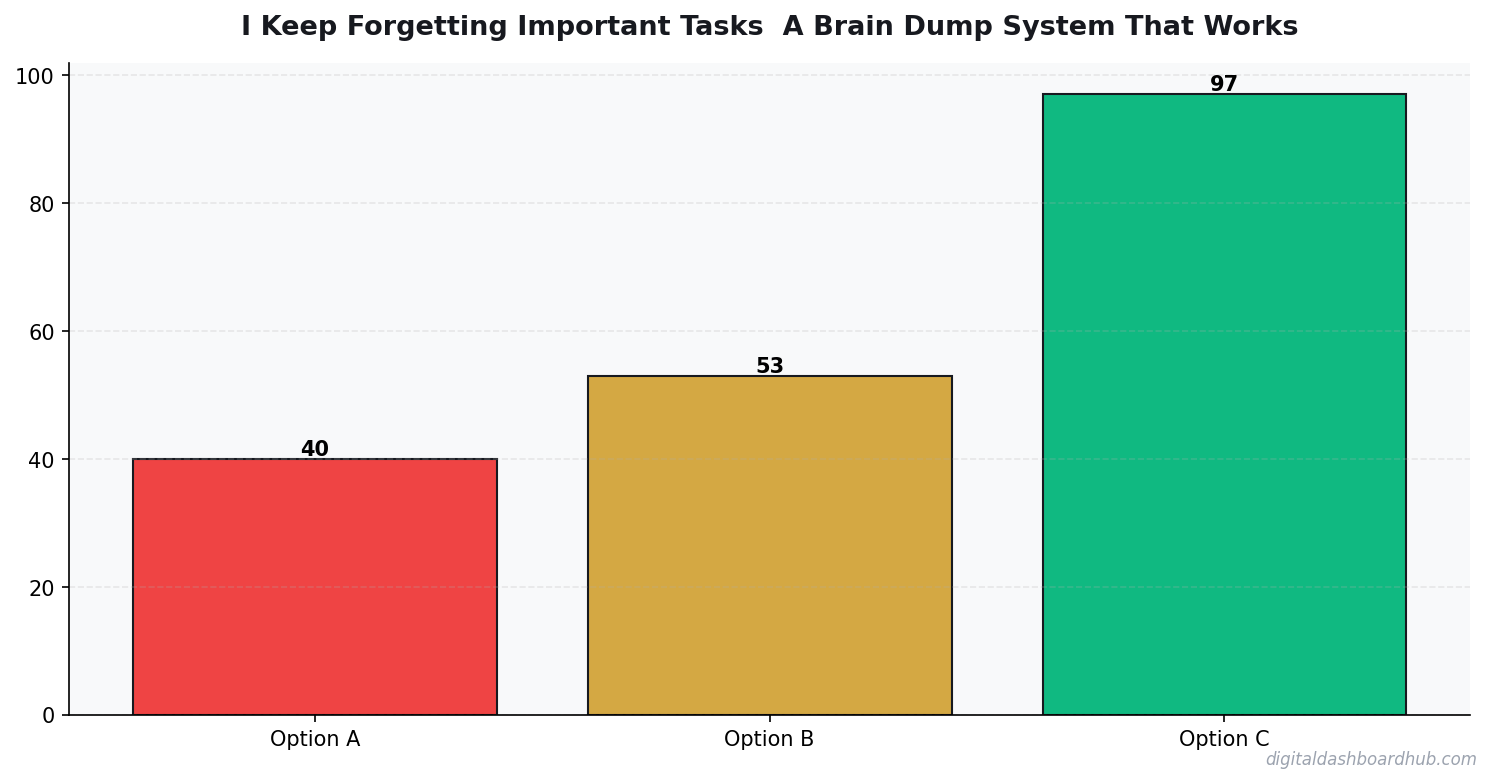
The pattern is clear: visibility drives completion. The systems that keep tasks in front of your face win. The ones that hide tasks behind apps, pages, or clicks lose. This is why I moved away from complex apps and toward simple visual dashboards.
How the DDH Task Tracker Handles This
After my brain dump, I load the DO items into the DDH Task Tracker. Here’s why it works where other systems didn’t:
Step 1: I open the dashboard (it’s an HTML file — loads in under a second, no login required) and type in my tasks. Each one gets a priority color: red for urgent, yellow for important, green for “get to it when you can.”
Step 2: The visual board shows everything at a glance. I keep it as a pinned browser tab, so every time I open my laptop, it’s right there. No excuses about “I forgot to check my task list.” It’s literally staring at me.
Step 3: As I complete tasks, I mark them done and they shift to the completed column. Seeing that column grow is a small dopamine hit that keeps me coming back. After a week, I can scroll through and see proof that I actually got things done — which quiets the “you’re not doing enough” anxiety voice.
The part that sold me: the 3-second capture time. If adding a task takes longer than the thought itself, I won’t do it. This dashboard is fast enough that I actually use it in the moment, not “later.”
Try the DDH Task Tracker free — do one brain dump and load it in. See if it sticks.
The Weekly Review That Prevents Backlog Anxiety
Brain dumps without reviews create a different problem: a growing list that becomes its own source of stress. Every Sunday evening, I spend 10 minutes on a review:
Delete anything that’s been sitting for 2+ weeks untouched. If it wasn’t important enough to do in 14 days, it’s not important. Reschedule anything that shifted priority. Celebrate what got done — seriously, look at the completed column and acknowledge it.
This weekly rhythm is what separates people who brain dump once and abandon the system from people who actually build a reliable daily structure that works long-term.
21 days
average time to form a tracking habit that sticks
For the ADHD Brain: Extra Modifications
If you have ADHD, standard task systems often fail because they rely on consistent executive function — the exact thing ADHD disrupts. Two modifications that help:
Body doubling your brain dump. Do it with someone else present (even virtually). The social accountability makes the 10-minute timer feel possible instead of endless. Limit your active task list to 5 items max. ADHD brains get paralyzed by long lists. Five visible tasks, everything else in a “parking lot” section. The dopamine menu approach works well here — pair unpleasant tasks with something rewarding.
The Practical Takeaway
Right now (2 min): Grab a piece of paper and do a quick brain dump. Write everything occupying your mental space. Don’t organize — just get it out. Notice how much lighter you feel after.
This week: Do the three-bucket sort (DO, DELEGATE, DELETE) on your brain dump. Delete at le
Key Takeaways
- Track one thing consistently rather than five things sporadically
- Review your data weekly — daily logging without weekly review is just data hoarding
- The best tool is the one you’ll actually open every day
ast 30% of the items. Load the rest into a visual system you’ll actually check daily.
Long game: Set up a DDH account and commit to the Sunday review for 4 weeks. That’s the habit that turns a one-time brain dump into a permanent external memory.
Keep reading (related guides):
255+ interactive tools for your money, time, and health.
Full dashboard access · Stripe-secure checkout · Cancel anytime
- Why People with ADHD Start Everything and Finish Nothing
- ADHD Daily Routine Planner: Build Structure That Works
- The ADHD Dopamine Menu: Hack Your Brain’s Reward System
Common Questions About Task Memory System Brain Dump
How long before I see results?
Most people notice meaningful patterns within 2 to 4 weeks of consistent tracking. The first week is almost always noisy — you’re still learning what to record, when to record it, and how honest to be with yourself. By week two, baselines emerge. By week four, you can start testing changes against data instead of guessing. Don’t judge the system in the first seven days. Give it a full month before deciding whether the system is worth keeping or whether the approach needs a rethink.
What should I track first?
Start with one metric that is both objective and daily. Objective means a number, not a feeling. Daily means once every 24 hours, not “whenever I remember.” Two metrics is fine; three is too many to sustain for someone new. You can always add more once the habit is locked in. The goal of the first month is consistency, not coverage. It’s better to track one thing perfectly for thirty days than six things sloppily for five, and the data will be far more useful.
What if I miss a day?
Miss one day, no problem — tracking is a long game and single-day gaps don’t break the trend. Miss two days in a row, and your brain starts negotiating you out of the system entirely. The rule most people use: never miss twice. Log something — even a single data point — on the second day, then resume the full routine the next morning. Streaks matter less than quick recovery after a miss, and nobody maintains an unbroken record forever. The goal is resilience, not perfection.
Do I need a paid app to do this?
No. A notebook, a spreadsheet, or a free tool all work. The paid-app question should come after 4 weeks of consistent tracking, not before. If you’re going to quit inside the first two weeks, you’ll quit a free tool and a paid one at roughly the same rate. Prove the habit first, then decide whether a paid tool removes enough friction to be worth the subscription. Don’t use “finding the perfect app” as a way to avoid starting the system this week.
How do I know the data is accurate?
Two rules. First, log at the same time each day — morning before coffee, or evening before bed — so you control the biggest variable. Second, write down the conditions, not just the number. A reading without the time, posture, and recent activity is almost useless. A check-in without the context of sleep or stress is just noise. Structure your log so the conditions travel with the measurement. Data without context is decoration, not signal, and won’t help you make better choices.
When should I review the data?
Weekly for noticing; monthly for deciding. A weekly review is a five-minute scan for surprises: what changed, what stayed the same, what correlates with what. A monthly review is longer and ends with a decision — keep the system, change one variable, or scrap the experiment and try a different approach. Don’t try to decide anything meaningful from a single week of data. And don’t wait a full quarter to look back, either — trends go stale fast when you’re not watching.
Is it worth tracking if my data is imperfect?
Yes. Imperfect data beats no data every time, as long as you know where the imperfections are. A log with a few missing days and honest notes about what went wrong is more useful than a complete but fabricated record. The goal isn’t a museum-quality dataset — it’s enough signal to make better decisions next month than you made last month. Perfect is the enemy of done, especially in week one when the habit itself is fragile.
How do I stay consistent past the first month?
Motivation isn’t the goal — structure is. The people who keep going past 30 days don’t feel more motivated than anyone else; they’ve just wired the tracking into their day so it runs without willpower. Pair it with an existing habit (morning coffee, evening teeth-brushing), keep the entry under 30 seconds, and review weekly so you can see your own progress. Motivation will spike and crash; structure keeps running through both phases without drama.

Andy Gaber is the founder of Digital Dashboard Hub, a suite of 255+ interactive financial, productivity, and wellness tools. He built DDH after getting frustrated with financial apps that gave outputs without context. Follow along for tool tutorials, revenue analytics breakdowns, and honest takes on personal finance.