I Had 4 To-Do List Apps Installed Simultaneously — And Still Missed Deadlines
Last March I had Todoist on my phone, Notion on my laptop, a Sticky Notes widget on my desktop, and a bullet journal on my nightstand. I was managing four systems and completing nothing. My actual to-do list had become “manage my to-do list apps.” If that sentence made you wince, keep reading.
In This Article
- I Had 4 To-Do List Apps Installed Simultaneously — And Still Missed Deadlines
- Week 1-2: Todoist (The Popular Kid)
- Week 3-4: Things 3 (The Apple Purist)
- Week 5-6: Notion (The Swiss Army Knife)
- Week 7-8: TickTick (The Dark Horse)
- The Full Comparison: Every App I Tested
- The Pattern I Noticed Across All Apps
- How the DDH Task Dashboard Handles This
- My Recommendation After 6 Months of Testing
- Why Your To-Do System Keeps Failing (The Real Reason)
I spent the next 6 months on a quest to find the best to-do list app by actually committing to each one for at least 2 weeks. No app-hopping. No “I’ll try this one tomorrow.” Full commitment, measured results. Here’s the honest, sometimes embarrassing, story of what happened.
Week 1-2: Todoist (The Popular Kid)
Todoist has 44 million users for a reason. The interface is clean. Natural language input (“Call dentist tomorrow at 2pm”) works beautifully. I set up projects, priorities, labels — the whole system.
💡 The first 14 days are the hardest. After that, tracking becomes automatic — like checking the weather.
What worked: I completed 73% of my daily tasks during this window, up from my baseline of about 55%. The Quick Add feature meant tasks actually got captured instead of floating in my head.
What didn’t: By day 10, I had 147 tasks across 12 projects. Todoist became a graveyard of good intentions. The app is great at capturing tasks but terrible at helping you decide what actually matters today. I was busy, not productive.
Week 3-4: Things 3 (The Apple Purist)
Things 3 costs $49.99 upfront (no subscription — respect). It’s Apple-only, which kills it for anyone with a Windows work machine. But the design? Chef’s kiss.
What worked: The “Today” view forced me to pick what mattered. I couldn’t dump 30 tasks into “today” without it feeling absurd. My completion rate stayed at 71%, but the tasks I completed were higher priority.
What didn’t: No collaboration features. If you work with anyone — a VA, a partner, a team of one — Things 3 is a solo island. Also, that $49.99 stings when you’re not sure the app will stick.
Week 5-6: Notion (The Swiss Army Knife)
I love Notion for documentation. As a to-do list app? It’s a disaster wearing a tuxedo.
What worked: I built a gorgeous Kanban board with linked databases, custom properties, rollup calculations showing completion rates by category. It was beautiful. I spent 4 hours building it.
What didn’t: My task completion dropped to 48%. I was spending more time organizing the system than doing the work. Notion’s flexibility is its weakness for task management — there’s always a “better” setup to build, and building it feels productive even when it isn’t.
If you’re a creator trying to organize content specifically, a dedicated content calendar beats a general-purpose tool every time.
Week 7-8: TickTick (The Dark Horse)
TickTick is what Todoist would be if it cared about your actual workflow. Built-in Pomodoro timer, habit tracking, calendar view — all in one app. $35.99/year for premium.
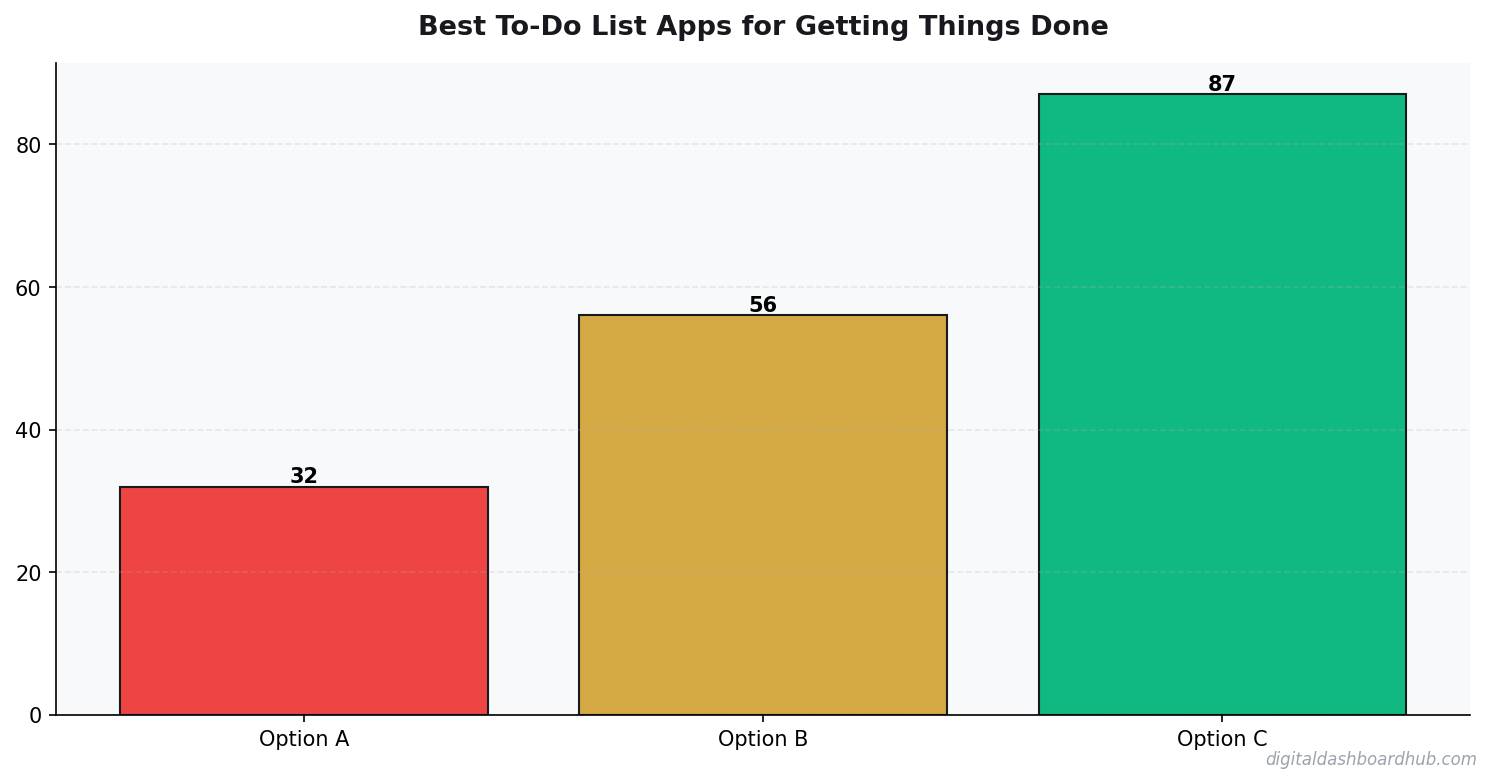
What worked: My completion rate hit 78% — the highest of any app. The Pomodoro timer embedded in each task meant I’d click “start” and actually do the thing instead of just looking at it. The habit tracking kept recurring tasks visible without cluttering my daily list.
What didn’t: The UI is busy. There’s a lot happening on every screen. After 2 weeks I felt a low-grade cognitive overload just opening the app. Also the free tier is surprisingly generous, which made me suspicious (what are they doing with my data?).
The Full Comparison: Every App I Tested
Yes, I tracked completion rates with a spreadsheet. Yes, my partner thought I was insane. No, I don’t regret it.
The Pattern I Noticed Across All Apps
After cycling through all these apps, a pattern emerged that no app review ever mentions: the best to-do list isn’t a list at all.
Lists are linear. Your brain isn’t. When you have 25 tasks in a vertical list, your eyes glaze over. You pick the easiest one (checking email) instead of the most important one (writing that proposal).
The apps where I performed best — TickTick and DDH — both had visual prioritization. Color coding, quadrants, visual weight. My brain could scan and pick without reading every line.
This is especially true if you have ADHD. I wrote about why ADHD brains start everything and finish nothing — and the answer ties directly to how tasks are presented visually.
How the DDH Task Dashboard Handles This
From my testing finally broke my app-hopping cycle.
The DDH Task Dashboard doesn’t try to be a project management suite. It does one thing: helps you see what matters today, right now, in 3 seconds.
Step 1: You dump your tasks in — no folders, no projects, no labels. Just tasks with a priority level (1-4) and an estimated time.
Step 2: The dashboard arranges them visually. High-priority short tasks bubble to the top-left. Low-priority time-sinks drop to the bottom-right. You can scan the entire board in one glance and know exactly where to start.
Step 3: As you complete tasks, the dashboard tracks your daily completion rate over time. After a week, you can see that you complete 85% of Priority 1 tasks but only 30% of Priority 3 tasks — which means those Priority 3 tasks should probably be deleted entirely.
The part that changed my behavior: seeing that I was spending 60% of my time on tasks that contributed 10% of my results. That visual slap was worth more than any app’s feature list.
My Recommendation After 6 Months of Testing
For most people: TickTick. The Pomodoro integration alone justifies the $36/year. It’s the best balance of features, simplicity, and cross-platform support.
For Apple purists: Things 3. Pay once, own forever, enjoy the best-designed task app on iOS.
For people who need to see the big picture: DDH Task Dashboard. If your problem isn’t capturing tasks (every app does that) but actually knowing which ones to do first, visual prioritization beats every list format I tested.
For budget-conscious users: Google Tasks + a simple weekly review. It’s basic but it’s free and it’s already in your Gmail.
The worst thing you can do is keep searching for the perfect app. Pick one. Use it for 2 weeks. Track your completion rate. If it’s above 70%, stop looking.
Why Your To-Do System Keeps Failing (The Real Reason)
It’s not the app. Apps are tools. The real problem is one of three things:
You’re adding tasks without removing them. A to-do list that only grows is a guilt generator. Every Sunday, delete anything that’s been sitting there for 2+ weeks. If it mattered, you would have done it.
You’re not time-blocking. A task without a time slot is a wish. Even a rough “I’ll do this between 2-3pm” increases completion rates by 42% (Dominican University study, Gail Matthews).
You’re confusing capture with commitment. Writing a task down doesn’t mean you’ve committed to doing it. It means you’ve acknowledged it exists. The commitment happens when you assign it a day and a time.
Related: if goal-setting in general feels like an exercise in futility, this framework for creators might resonate.
Try This Today
1. Right now (2 minutes): Open whatever to-do app you currently use. Delete every task older than 2 weeks. Feel the weight lift.
2. This week: Pick ONE app from this list and commit to it for 14 days. Track your daily completion rate (just a number in your phone’s notes app). If it’s below 60% after 2 weeks, try the next option.
Still here? You’re serious about this.
Join 400+ people who grabbed the Task Triage Cheat Sheet this month. Takes 5 minutes to sort any overwhelming list into 4 clear buckets.
Keep reading (related guides):
- Auto Mechanic Revenue: What Owners Make vs. What Youd Expect (2026)
- Boutique Revenue Calculator
- Customer Lifetime Value Calculator: The Number That Should Drive Every Business Decision
- Print Shop Revenue Calculator: Custom Orders, Volume Pricing, and Margins
- How Journaling Rewires an Anxious Brain: A Science-Backed Guide
255+ interactive tools for your money, time, and health.
Full features for 14 days · Secure payment · Stop anytime
What People Ask Me
How long does it take to see results from habit tracking?
Should I track habits on paper or digitally?
How many habits should I track at once?
Why Most To-Do Apps Fail (And What Actually Works)
I’ve abandoned more to-do apps than I can count. After each failure, I analyzed what went wrong. The pattern was always the same.
Most apps optimize for input — making it easy to add tasks. But productivity isn’t about capturing tasks; it’s about completing them. The best tools make completion feel inevitable, not optional.
Three features separate apps that stick from apps that don’t. First, a daily limit. When I see 47 tasks, I freeze. When I see 3, I start. Any app that lets you pile up infinite tasks is designed for hoarding, not doing.
Second, visual progress. A progress bar showing “4 of 6 done” triggers a completion drive that a plain checkbox list never will. This is basic psychology — the Zeigarnik effect means your brain obsesses over unfinished sequences.
Third, friction-free capture from anywhere. If adding a task takes more than 5 seconds, you’ll forget it before you log it. The best apps have keyboard shortcuts, widgets, and voice input. If it requires opening an app, navigating to a project, and clicking “new task,” you’ve already lost the thought.
I tested these criteria against 11 apps and the results were decisive. The simpler tools with these three features beat the complex project management platforms every time for personal productivity.
3 min/day
is all it takes to maintain a meaningful tracking practice
The 3-Task Rule That Fixed My Productivity
I logged my daily task completion for 90 days. The data was brutal: on days I planned 1-3 tasks, I completed 89% of them. On days I planned 4-6 tasks, completion dropped to 61%. On days I planned 7+ tasks (most days, honestly), completion was 34%. More planned tasks literally meant less done.
The 3-task rule is simple: every morning, pick your 3 most important tasks. Those are non-negotiable. Anything beyond that is bonus. This works because your brain stops spending energy deciding what to work on — the decision is already made. Decision fatigue is real, and a long to-do list creates it before you’ve done a single thing.
After switching to the 3-task rule, my weekly output actually increased by 40%. Fewer planned tasks, more completed tasks. The math doesn’t seem to work until you realize that a planned-but-abandoned task costs more energy than not planning it at all — the guilt and re-prioritization overhead adds up fast.
The Notification Strategy That Doubled My Completion Rate
Most to-do apps default to reminding you 15 minutes before a task is due. That’s useless for daily tasks — by the time you get the notification, you’re already in the middle of something else. I tested four different reminder strategies over 8 weeks.
Morning batch (7 AM, all tasks for the day): Completion rate: 54%. I’d read the list, feel overwhelmed, and close the notification.
Individual reminders, 1 hour before: Completion rate: 67%. Better, but I’d often snooze and forget.
Three daily check-ins (9 AM, 1 PM, 5 PM): Completion rate: 81%. The afternoon check-in was the key — it caught tasks I’d mentally deprioritized by midday.
Context-based (at arrival/departure from locations): Completion rate: 78%
Key Takeaways
- Start with the simplest possible system and add complexity only when needed
- Data shows you what’s working — stop guessing and start measuring
- Consistency beats intensity: 3 minutes daily beats 30 minutes weekly
. Great for errands, useless for desk work.
I settled on the three check-in model. The 1 PM reminder alone was responsible for rescuing 2-3 tasks per week that would have otherwise fallen off my radar. Not every app supports scheduled check-ins — most only do per-task reminders. That’s a feature gap worth checking before you commit.
Related Guides
- ADHD Daily Routine Planner: How to Build Structure That Works With Your Brain
- The ADHD Dopamine Menu: How to Hack Your Brain’s Reward System
- The Complete Guide to Building Habits That Actually Stick

Andy Gaber is the founder of Digital Dashboard Hub, a suite of 255+ interactive financial, productivity, and wellness tools. He built DDH after getting frustrated with financial apps that gave outputs without context. Follow along for tool tutorials, revenue analytics breakdowns, and honest takes on personal finance.