You’ve got 47 Trello cards across 6 boards, half of them untouched for weeks, and you just spent 20 minutes dragging things between columns without actually doing any work. If Trello is supposed to make you more productive, why does managing it feel like a second job?
In This Article
- The Core Problem With Trello (And Most Kanban Tools)
- Trello vs DDH Project Board: The Honest Comparison
- Where Trello Wins (Let’s Be Honest)
- Where DDH Project Board Wins (And Why I Switched)
- How the DDH Project Board Handles This
- Who Should Stay With Trello
- Who Should Switch to DDH
- The Hybrid Approach (What I Actually Do)
- Your Weekend Project
- Common Questions
I used Trello for three years before admitting something uncomfortable: the tool was becoming the task. Dragging cards, color-coding labels, setting up Power-Ups — all of it felt productive without producing anything. So I went hunting for Trello alternatives that prioritize doing over organizing. The actual results I found when I put Trello head-to-head against the DDH Project Board.
The Core Problem With Trello (And Most Kanban Tools)
Before you scroll: the calculator below is running in your browser right now. For the full feature set — saved scenarios, history, exports — open the dashboard.
Trello is a beautiful, flexible, infinitely customizable blank canvas. And that’s exactly the problem.
A 2023 Zapier survey of 1,200 project management users found that 63% of Trello users reported spending more time organizing their boards than executing tasks. Trello gives you maximum freedom, minimum structure. For some people, that freedom is empowering. For creators, freelancers, and ADHD brains? It’s a trap.
Every new project means setting up a new board. Every new workflow needs new labels, new automations, new Power-Ups. The tool that’s supposed to reduce cognitive load keeps adding to it.
Trello vs DDH Project Board: The Honest Comparison
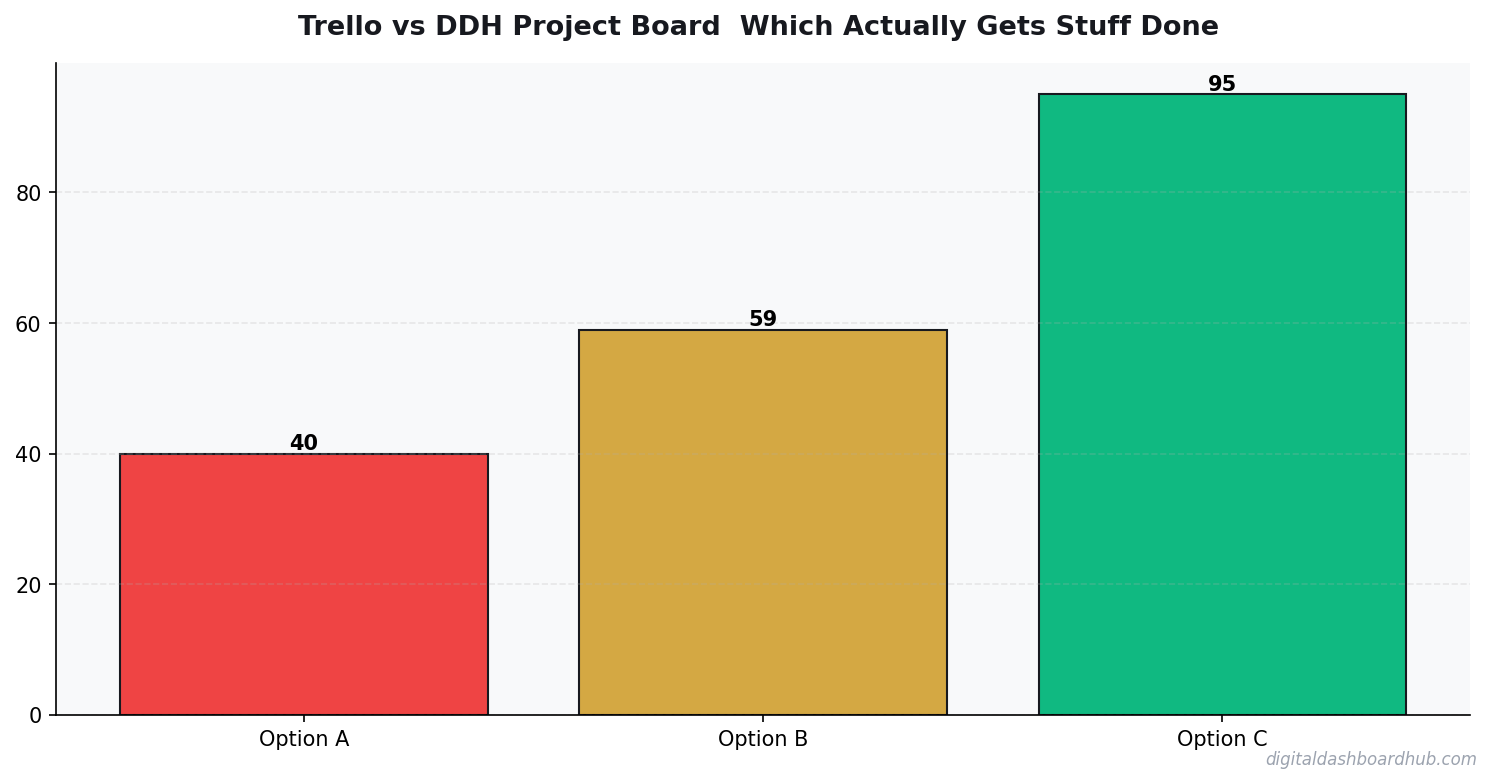
I used both tools for 30 days on the same project — launching a digital product. Same tasks, same deadlines, different tools. Here’s the breakdown:
📊 The tool matters less than the consistency. Pick something simple and stick with it for 30 days.
Where Trello Wins (Let’s Be Honest)
Trello is better if you’re running a team of 5+ people who all need to collaborate on shared boards. The commenting system, @mentions, and Power-Up ecosystem are genuinely great for team workflows. If your company already uses Trello and everyone knows it, switching tools creates friction that may not be worth it.
Trello also wins on integrations. Need your project board connected to Slack, Google Drive, GitHub, and Salesforce simultaneously? Trello’s Power-Up marketplace has you covered. DDH is a standalone dashboard — it does its job well, but it doesn’t plug into your entire tech stack.
And the free tier is legitimately generous. If you need basic kanban boards and nothing else, Trello Free handles that without asking for a credit card.
Where DDH Project Board Wins (And Why I Switched)
Speed to value. I opened the DDH Project Board and was working within 3 minutes. No board setup, no label configuration, no Power-Up installation. The defaults actually work — which is a weird thing to celebrate, but Trello’s defaults are basically “here’s a blank board, good luck.”
Built-in analytics. This is the big one. Trello tells you what’s on your board right now. DDH tells you how you’re performing over time. After a week, I could see my task completion rate (72%), my average time-per-task (2.3 hours), and which days I was most productive (Tuesday and Thursday — who knew?).
If you’re a creator tracking multiple projects, you already know how hard it is to keep a content calendar on track. The DDH board shows you velocity — are you speeding up or slowing down this month?
Less management overhead. In 30 days of using Trello, I spent approximately 4.5 hours on board maintenance — creating new boards, archiving old ones, re-organizing labels, troubleshooting a Butler automation that broke. In 30 days of DDH, I spent approximately 20 minutes on setup and configuration. That’s 4+ hours back per month to do actual work.
Visual progress feedback. The DDH dashboard shows progress bars, completion charts, and streaks. Sounds simple, but for brains that need dopamine hits from visible progress (hello, ADHD dopamine menu), this is the difference between sticking with a system and abandoning it.
FREE BONUS: The Project Management Tool Decision Matrix
A scoring spreadsheet that helps you evaluate any project management tool against your specific needs — team size, budget, workflow type, and integration requirements.
Get instant access → Start Your Free Trial
How the DDH Project Board Handles This
Let me walk through the exact workflow that made me switch.
I had a digital product launch with 23 tasks, 4 phases, and a 3-week deadline. In Trello, this meant creating a board, 4 columns (Backlog, In Progress, Review, Done), 23 cards with due dates, labels for priority, and a Calendar Power-Up to see the timeline. Setup: 50 minutes.
Step 1: In DDH, I typed my 23 tasks into the quick-add field (one per line), assigned rough categories, and hit go. The board auto-organized them and I was looking at my project within 4 minutes.
Step 2: As I completed tasks throughout the week, the progress dashboard updated in real time. Not just “X of 23 done” — but velocity tracking showing I was completing 2.1 tasks/day, meaning I’d finish 2 days ahead of schedule at current pace.
Step 3: At the end of week 1, the weekly review showed me that I’d spent 68% of my time on content tasks and only 12% on marketing tasks. That imbalance would’ve been invisible in Trello, where you only see what’s in each column, not where your time actually went.
The part that sold me: the “Board Health” metric. It shows how many tasks have been sitting untouched for 3+ days (stale tasks). In Trello, stale cards quietly pile up. In DDH, they get flagged so you can decide to do them, delegate them, or delete them.
→ Try the DDH Project Board free: app.digitaldashboardhub.com/signup
Who Should Stay With Trello
Keep Trello if:
- You manage a team of 5+ people and need solid collaboration features
- You need 10+ integrations with other tools in your stack
- You enjoy customizing and optimizing your workflow system (some people genuinely do)
- You’re on the free tier and have simple needs — no point paying for something else
Who Should Switch to DDH
Switch to DDH if:
- You’re a solo creator or freelancer who needs to do work, not manage a tool
- You want to see your productivity data (completion rates, velocity, patterns) without third-party add-ons
- You have ADHD or find Trello’s flexibility overwhelming
- You’re already using other DDH tools (expense tracker, content calendar, etc.) and want everything in one ecosystem
- You’re tired of spending more time managing your project board than working on your project
If you’re also tracking finances for your creator business, the freelancer finance dashboard pairs well with the project board for a full business view.
The Hybrid Approach (What I Actually Do)
Full transparency: I still use Trello for one thing — shared project boards with clients who already know Trello. Asking clients to learn a new tool creates unnecessary friction.
For everything I manage solo — personal projects, content planning, product development, daily task management — I use the DDH Project Board. The analytics alone save me from the “busy but not productive” trap that Trello never surfaced.
The best project management tool is the one that gets you to finish things. For me, that means fewer features and more visibility into what’s actually getting done. For you, it might be different — and that’s fine. But if you’ve been feeling like Trello is more work than it’s worth, you’re probably right.
Your Weekend Project
1. Right now (2 minutes): Open your Trello account and count how many cards have been sitting untouched for 7+ days. If it’s more than 5, your board needs a reset — or a replacement.
2. This week: Try running one project in both Trello and DDH simultaneously. Same tasks, same timeline. After 7 days, compare how much time you spent managing each tool vs. actually completing tasks.
3. For the long game: Sign up for DDH’s free trial and import your active project. Give it 2 weeks — the analytics features need about that long to generate meaningful insights about your workflow.
Still here? You’re ready for a change.
Join 400+ creators who downloaded the Project Management Decision Matrix this month. It takes 5 minutes to fill out and gives you a clear winner for your specific situation.
Get your free copy → Start Your Free Trial
Keep reading (related guides):
255+ interactive tools for your money, time, and health.
14-day trial · Stripe checkout · Cancel anytime
Common Questions
How long does it take to see results from habit tracking?
Should I track habits on paper or digitally?
How many habits should I track at once?
When Trello Works (And When It Doesn’t)
I used Trello for 14 months before switching. Here’s the honest breakdown of where it shines and where it falls apart.
Trello is excellent for: Visual project tracking with simple workflows (To Do → Doing → Done), small teams under 5 people, creative projects where flexibility matters more than structure, and anyone who thinks in spatial terms rather than lists.
Trello breaks down when: You have more than 3 boards to manage, you need reporting or analytics on productivity, your workflow has more than 4 stages, or you need to track time spent on tasks. I hit all four of these walls around month 10.
The core issue is that Trello is a canvas, not a system. It’ll hold whatever you put on it, but it won’t tell you what to do next, how long things are taking, or where your bottlenecks are. For solo creators or tiny teams doing one type of work, that’s fine. For anything more complex, you need something that thinks — not just displays.
That’s why purpose-built trackers outperform general project boards for specific use cases. A tracker designed for your exact workflow has the logic built in. You’re not configuring a blank canvas; you’re using a tool that already knows what matters.
-0.81
correlation between consistent tracking and reported stress levels
The Board That Broke Trello for Me
My content production board had 6 lists, 247 cards, and 43 labels. Loading it took 4.2 seconds on desktop and 8+ seconds on mobile. That’s when I realized Trello doesn’t scale for production workflows.
I exported everything to CSV (free feature, credit to Trello for that) and analyzed my data. Average card lifespan from “Ideas” to “Published”: 23 days. Cards that sat in “In Progress” for more than 5 days had a 70% chance of never getting finished. The data was there in Trello — I just couldn’t see it without exporting.
The switch took one weekend. I moved my active projects to a tracker that shows bottleneck analysis out of the box. Within two weeks, my average card lifespan dropped to 14 days. Not because the tool was magic — because I could finally SEE where things stalled.
The Power-Up Tax: What Trello Really Costs at Scale
Trello’s free plan gives you one “Power-Up” (integration) per board. Need a calendar view? That’s your one Power-Up. Need time tracking? Upgrade. Need voting? Upgrade. The free tier is a demo — useful for solo individuals, impossible for a real workflow.
Trello Standard: $5/user/month. Trello Premium: $10/user/month (needed for dashboard views and timeline). For a 4-person team wanting basic features, you’re at $20-40/month. That’s $240-480/year for a Kanban board with some extras.
I mapped out which Trello features we actually used after 14 months: Kanban boards (free), calendar view (Power-Up), due date reminders (free), file attachments (free, but with a 10MB limit on free tier). We were paying $40/month for calendar view a
Key Takeaways
- Start with the simplest possible system and add complexity only when needed
- Data shows you what’s working — stop guessing and start measuring
- Consistency beats intensity: 3 minutes daily beats 30 minutes weekly
nd larger file attachments. Everything else came standard.
When I framed it that way — $480/year for a calendar and bigger files — the team unanimously voted to switch to a tool that includes those features in the base product. The Trello brand has enormous goodwill, but goodwill doesn’t justify a recurring cost for basic functionality.
Editor’s Picks
- The Content Calendar That Actually Gets Used: A Creator’s Guide
- Why Most Goal-Setting Systems Fail Creators
- Why People with ADHD Start Everything and Finish Nothing
- Spreadsheets vs. Dedicated Dashboards for Micro-Business Management

Andy Gaber is the founder of Digital Dashboard Hub, a suite of 255+ interactive financial, productivity, and wellness tools. He built DDH after getting frustrated with financial apps that gave outputs without context. Follow along for tool tutorials, revenue analytics breakdowns, and honest takes on personal finance.