You spent the entire weekend building the perfect Notion dashboard. Custom databases, linked relations, rollup properties, a color-coded kanban board. It’s gorgeous. Then Monday morning hits and you realize you spent 6 hours building a system to track things instead of doing the things.
In This Article
If you’re searching for notion vs tracker alternatives, you’ve probably had this moment. Notion is incredibly powerful — and that power is exactly the problem for people who need to track work, not build tracking systems. Let me break down when Notion wins, when it loses, and what to use instead.
The Notion Productivity Paradox
Jump in: the tool below is live and free to play with. Upgrade to a dashboard account when you want to save scenarios and track over time.
Compare that to a purpose-built tracker: under 5 minutes per week on maintenance. The difference? A tracker makes decisions for you. Notion asks you to make every decision about how your data should be structured, displayed, and connected. If you’re a systems nerd who enjoys that process, Notion is paradise. If you just want to track your habits, projects, or finances and get on with your life — it’s a time sink. Many ADHD creators especially fall into the Notion rabbit hole and never come back out.
The Honest Comparison
Notion wins on raw customization. If you need a combined CRM + project tracker + content calendar + wiki with cross-linked databases, nothing else comes close. But for focused tracking — habits, health, finances, projects — the overhead isn’t worth it.
💡 Most people overcomplicate this. Start with ONE metric and expand from there.
The Speed Tax You’re Paying
This one drives me crazy. Notion pages take 2-5 seconds to load on average. That doesn’t sound like much until you’re opening your habit tracker 3 times a day, checking your project board 10 times, and pulling up your content calendar for every social media post.
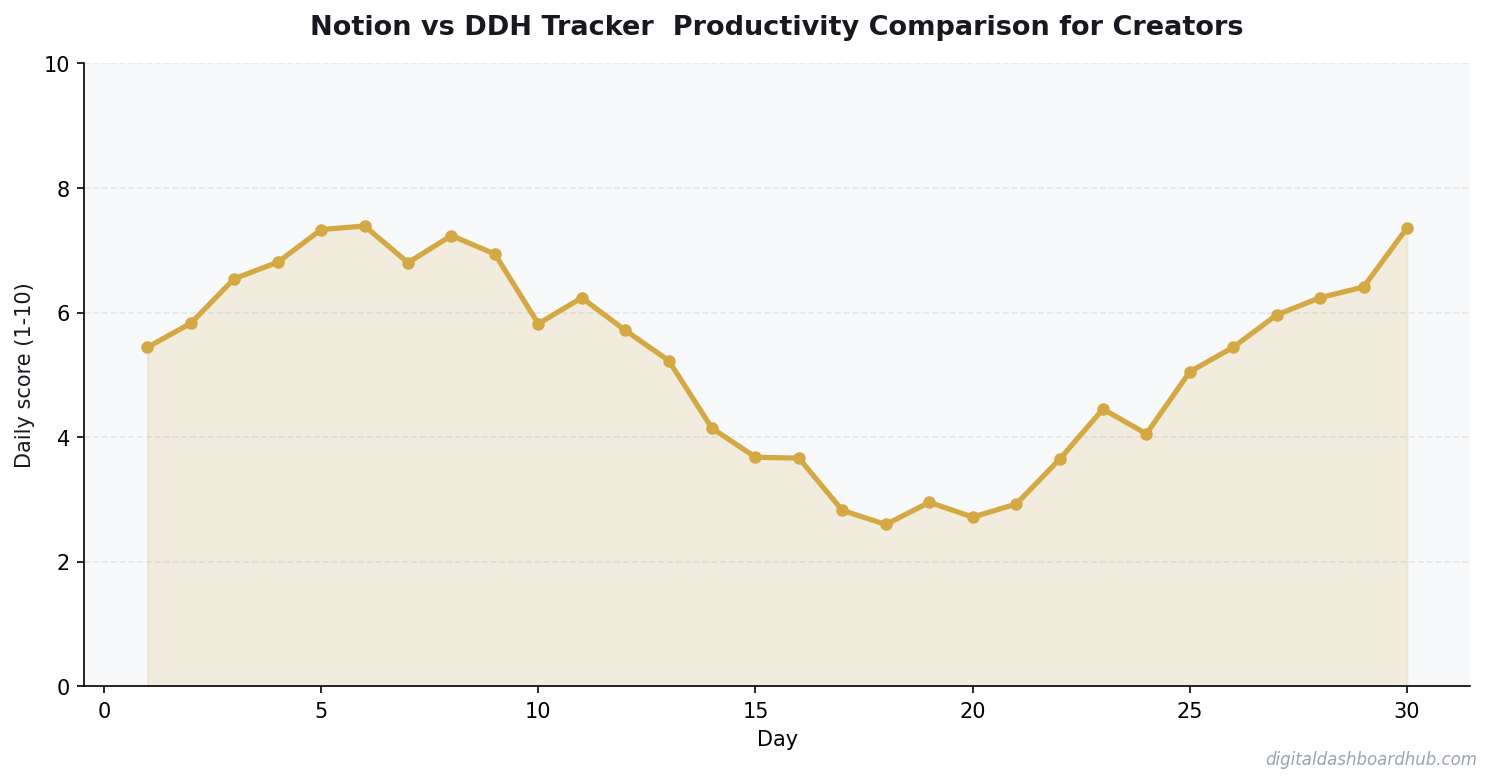
At 20 page loads per day × 3 seconds × 365 days, that’s 6 hours per year just waiting for Notion pages to load. An HTML-based dashboard loads in under a second because it runs locally — no server round-trip, no database query, no framework initialization. It’s just… there.
For content calendar workflows especially, speed matters. You check it constantly while creating, and every friction point adds up to lost focus.
How the DDH Trackers Handle This
DDH takes the opposite approach from Notion: instead of giving you a blank canvas, you get a finished dashboard that does one thing well.
Step 1: Pick the tracker that matches your need. Habit tracker, finance dashboard, project board, mood tracker — each is a standalone interactive HTML tool pre-built with the fields, visualizations, and logic already in place.
Step 2: Open it and start entering data. No setup phase, no database configuration, no “should I make this a multi-select or a relation?” decisions. The tracker already made those choices based on what works for that specific use case.
Step 3: The dashboards auto-generate visual summaries — charts, completion rates, trend lines. In Notion, building that same visual layer takes hours of formula work and chart blocks. Here, it’s just… built in.
The part that sold me: I got my time back. I used to spend Sunday evenings “maintaining” my Notion workspace — fixing broken rollups, reorganizing my weekly view, updating template buttons. Now I spend that time actually reviewing my data and making decisions based on it. The spreadsheets vs. dashboards comparison lays out this trade-off in detail.
Try DDH trackers free — pick one tracker and see how fast you’re actually tracking instead of building.
When Notion Still Wins (Be Honest)
Don’t let me oversell you. Notion is the right choice if:
You run a team that needs a shared knowledge base — Notion’s wiki functionality is genuinely best-in-class. You need linked databases across domains — connecting your CRM contacts to your project deadlines to your content calendar in one workspace is powerful if you actually use those connections. You enjoy building systems — and I mean genuinely enjoy it, not “I do it instead of the work I’m avoiding.” Some people find the system-building process valuable for thinking through their workflow.
If none of those apply to you, you’re paying a complexity tax for features you don’t use.
2.6x
average underestimate of time needed for tasks (without tracking)
The Hybrid Approach (What I Actually Do)
I use Notion for one thing: long-form documentation and knowledge management. Meeting notes, project briefs, reference material. It’s a great digital filing cabinet.
For everything that requires daily interaction — habits, finances, project status, content tracking — I use DDH dashboards. The rule is simple: if I interact with it more than once a day, it needs to load in under a second and require zero maintenance. Notion doesn’t meet that bar. The goal-setting systems that work for creators follow this same principle — simplicity in daily tools, depth in planning tools.
Three Steps to Get Started
Right now (2 min): Time how long your most-used Notion page takes to load. Multiply by how many times you open it daily. That’s your daily speed tax.
This week: Identify which Notion databases you actually use vs. which you built an
Key Takeaways
- Start with the simplest possible system and add complexity only when needed
- Data shows you what’s working — stop guessing and start measuring
- Consistency beats intensity: 3 minutes daily beats 30 minutes weekly
d abandoned. If more than half are ghost towns, you’ve been building systems, not using them.
Long game: Try one DDH tracker for the workflow you check most often. Run it alongside Notion for a week. Whichever one you naturally gravitate toward is the winner.
The Real Problem with Using Notion as a Tracker
Notion is genuinely great software. It’s flexible, it’s powerful, and you can build almost anything in it. That flexibility is also the problem. When you’re trying to actually track something — consistency, patterns, progress over time — you don’t want a blank canvas. You want a purpose-built instrument.
Setting up a habit tracker in Notion takes 45 minutes. Maintaining it takes discipline it shouldn’t require. Every time you open it, you’re looking at a database you built yourself, and every formatting decision you made is visible, which means every session has a small mental tax of “is this still set up the way I want it?” Tools you build yourself require ongoing maintenance. Tools built for a specific purpose just work.
What Notion Does Well That Trackers Can’t Touch
For long-form reflection, cross-linking ideas, and integrating notes with goals, Notion has no real competition at its price point. A creator who journals about their creative process, links to project pages, and builds a personal wiki of learnings — Notion is perfect for that. The problem is when they also try to use it for daily habit tracking, symptom logging, or numeric data entry. That’s where it becomes friction instead of flow.
The honest answer is that Notion and a purpose-built tracker aren’t competing — they serve adjacent needs. Use Notion for qualitative, contextual information. Use a tracker for quantitative, pattern-seeking data. Trying to do both in one tool compromises both.
For Creators Specifically: The Consistency Gap
Creators using Notion for productivity tracking consistently report one gap: they can see what they planned to do, but not whether their consistency on foundational habits (sleep, output, focus time) correlates with output quality. That data is sitting in their head or scattered across calendar entries. A dedicated tracker surfaces it. If you’ve ever had a month where you felt like you were working hard but produced little, that data would tell you exactly why.
Keep reading (related guides):
255+ interactive tools for your money, time, and health.
Instant signup · Stripe-secure · Cancel in one click
Related Deep Reads
- Spreadsheets vs. Dedicated Dashboards: Which Saves You Time?
- The Content Calendar That Actually Gets Used
- Why Most Goal-Setting Systems Fail Creators

Andy Gaber is the founder of Digital Dashboard Hub, a suite of 255+ interactive financial, productivity, and wellness tools. He built DDH after getting frustrated with financial apps that gave outputs without context. Follow along for tool tutorials, revenue analytics breakdowns, and honest takes on personal finance.