The worst feeling with ADHD isn’t failing — it’s knowing you had the ability but your brain wouldn’t cooperate. The standard advice — “just make a plan” or “set reminders” — isn’t wrong. It’s just designed for brains that work differently than ours.
I needed a adhd project graveyard rescue tool that worked with ADHD, not against it. Something that didn’t punish inconsistency, didn’t require daily perfection, and actually matched how my brain processes information. Here’s what I found — and built.
Why Standard Productivity Tools Fail the ADHD Brain
Before you scroll: the calculator below is running in your browser right now. For the full feature set — saved scenarios, history, exports — open the dashboard.
Standard productivity tools assume you can:
- Remember to check the app daily (working memory issue)
- Start tasks without external triggers (initiation issue)
- Maintain consistent effort over weeks (sustained attention issue)
- Resist the urge to abandon the system when something shiny appears (impulse control issue)
That’s four ADHD-specific challenges baked into a single “simple” tool. No wonder the drawer full of abandoned planners keeps growing. For more on how ADHD affects daily systems, see ADHD Project Graveyard Rescue: The Free Tool I Wish I Had 5 Years Ago.
What Actually Works for ADHD Productivity
After testing dozens of approaches (and abandoning most of them — hi, ADHD), three principles consistently worked:
The 3 ADHD-Friendly Design Rules
- Reduce decisions to near-zero. Every choice point is a dropout point. The tool should tell you what to do next, not ask you to figure it out.
- Make progress visible immediately. ADHD brains need dopamine hits. Show streaks, percentages, and progress bars. Make the data colorful and satisfying.
- Build in forgiveness. Missed a day? The tool shouldn’t guilt you. It should say “welcome back” and pick up where you left off.
These principles are why generic productivity apps feel like punishment for people with ADHD. They’re designed for consistency, and ADHD operates in bursts.
How the DDH ADHD Project Graveyard Rescue Actually Works
I’ll walk you through what this looks like day-to-day, because screenshots and feature lists don’t capture the experience.
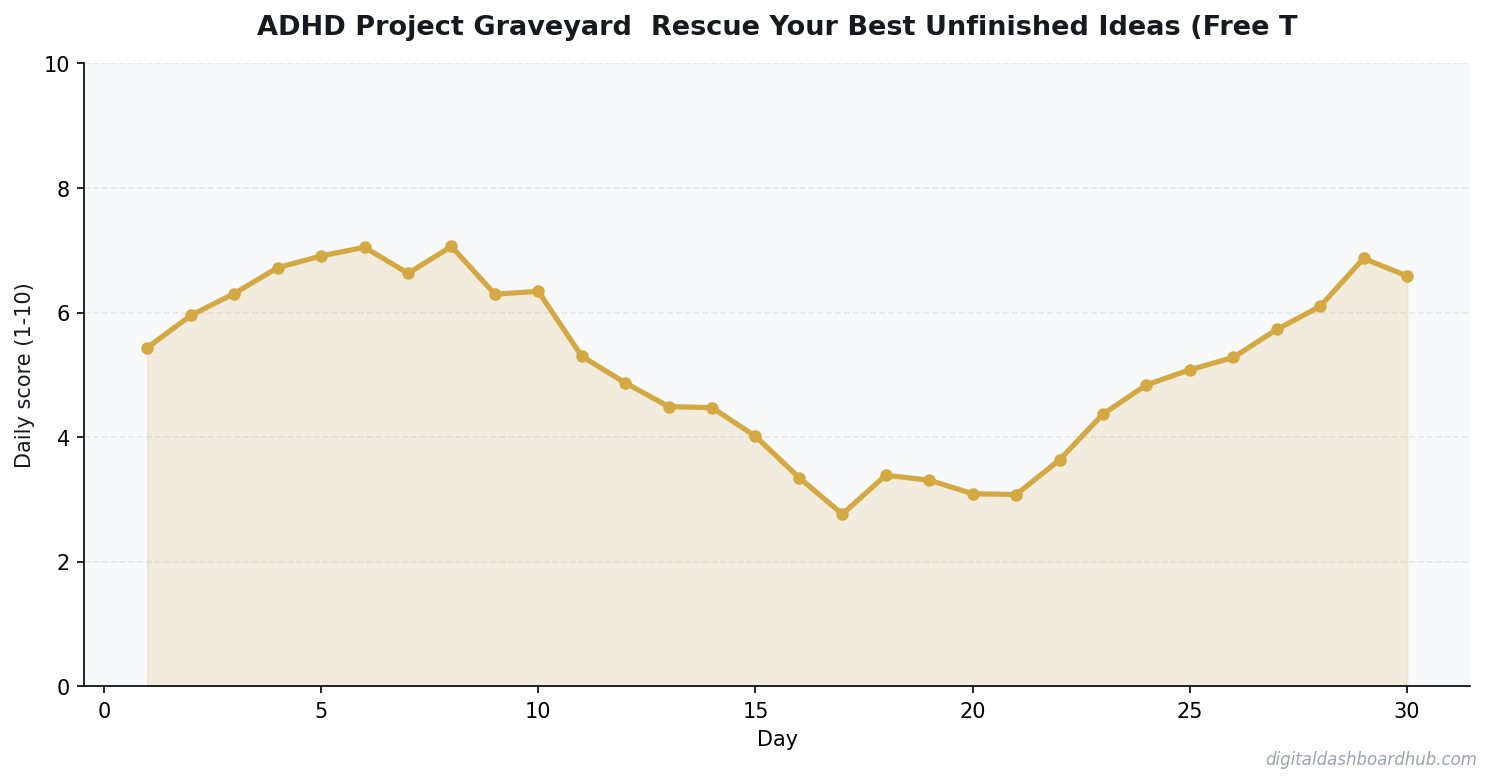
Step 1: Open the tool and you see exactly one thing: today’s focus area. Not a list of 47 things you should be doing. One thing. You can expand if your brain is feeling ambitious, but the default is radical simplicity.
Step 2: Interact with the tool for 30-60 seconds. Log what matters, skip what doesn’t. There’s no “wrong” way to use it — partial data is still useful data. The system adapts to your input patterns over time.
Step 3: Get visual feedback that actually feels good. Color-coded progress, streak counters (that don’t reset to zero when you miss a day), and trend lines that show improvement even when individual days vary wildly.
The ADHD-specific feature that matters most: the gentle re-engagement prompt. If you disappear for three days, the tool doesn’t send guilt-trip notifications. It sends a low-pressure nudge that acknowledges the gap and makes returning feel easy, not shameful.
Want to test it yourself? Try the ADHD Project Graveyard Rescue free for 14 days → No credit card. Setup takes about 60 seconds. It’s one of 255+ tools in the DDH platform, and several are specifically designed for ADHD brains.
DDH vs Other ADHD Productivity Tools
| Feature | Generic Apps | ADHD Coaches | DDH Tool |
|---|---|---|---|
| ADHD-specific design | No | Yes | Yes |
| Forgiveness for missed days | Resets to zero | Varies | Built-in |
| Cost | $5-15/mo | $200-400/mo | Free trial |
| Visual dopamine feedback | Minimal | None (verbal) | Core feature |
FREE BONUS: ADHD Productivity Quick-Start Guide
A 1-page setup guide designed for the ADHD brain. No 20-page manual. Just the 3 things to do first.
Why ADHD Brains Accumulate Unfinished Projects
It’s not a discipline failure. ADHD makes the initiation-interest curve different from neurotypical brains — high excitement at the novel idea phase, steep interest drop when the project hits the boring middle part. The project graveyard fills up not because you’re bad at follow-through, but because your brain is wired to find new stimulation.
The fix isn’t forcing yourself to finish everything. It’s getting strategic about which projects actually deserve finishing, and letting the rest rest without guilt.
How to Triage Your Unfinished Projects
Not all graveyard projects deserve rescue. A quick triage framework:
- Would I start this today if I found it for the first time? If yes, it might have real legs. If no, the initial excitement was the point and it’s okay to release it.
- What specifically stopped me? If it was a specific obstacle (need to learn X, need resource Y), that’s fixable. If it was “I just lost interest,” that’s information about fit, not an obstacle to clear.
- What’s the minimum viable version? Most unfinished projects are stuck because the original scope was too ambitious. A 50-page ebook you stopped at page 12 can become a 12-page report. A business idea you never launched can become a 30-day experiment.
Rescuing vs. Releasing
The goal isn’t to finish everything in the graveyard — it’s to make an intentional decision about each one. Releasing a project consciously (“I’ve decided this isn’t for me”) is healthy closure. Leaving it in the graveyard with ambient guilt is a cognitive tax you pay indefinitely.
For every project you rescue, also intentionally release three. Your mental bandwidth is finite. Clearing the guilt backlog frees capacity for the projects that actually matter.
Why ADHD Brains Accumulate Unfinished Projects
It’s not a discipline failure. ADHD makes the initiation-interest curve different from neurotypical brains — high excitement at the novel idea phase, steep interest drop when the project hits the boring middle part. The project graveyard fills up not because you’re bad at follow-through, but because your brain is wired to find new stimulation.
The fix isn’t forcing yourself to finish everything. It’s getting strategic about which projects actually deserve finishing, and letting the rest rest without guilt.
How to Triage Your Unfinished Projects
Not all graveyard projects deserve rescue. A quick triage framework:
- Would I start this today if I found it for the first time? If yes, it might have real legs. If no, the initial excitement was the point and it’s okay to release it.
- What specifically stopped me? If it was a specific obstacle (need to learn X, need resource Y), that’s fixable. If it was “I just lost interest,” that’s information about fit, not an obstacle to clear.
- What’s the minimum viable version? Most unfinished projects are stuck because the original scope was too ambitious. A 50-page ebook you stopped at page 12 can become a 12-page report. A business idea you never launched can become a 30-day experiment.
Rescuing vs. Releasing
The goal isn’t to finish everything in the graveyard — it’s to make an intentional decision about each one. Releasing a project consciously (“I’ve decided this isn’t for me”) is healthy closure. Leaving it in the graveyard with ambient guilt is a cognitive tax you pay indefinitely.
For every project you rescue, also intentionally release three. Your mental bandwidth is finite. Clearing the guilt backlog frees capacity for the projects that actually matter.
Keep reading (related guides):
- How Much Does Therapy Cost in 2026? A State-by-State Breakdown
- Free ADHD Impulse Spending Tracker — Try It Now
- How to Use Brain Dumps to Manage ADHD Overwhelm
- My Anxiety Spiraled Out of Control — A Tracking System That Pulled Me Back
- Rent vs. Buy Calculator 2026: The True Cost of Each Option (Real Numbers)
255+ interactive tools for your money, time, and health.
14-day trial · Stripe checkout · Cancel anytime
⚡ Quick Focus Score Calculator
See how your focus stacks up today.
Basic score only. Get the full ADHD toolkit with 255+ tools →
Your Next Move
Right now (2 minutes): Write down the one productivity task that keeps falling through the cracks. Not five things. One thing. Naming it is the first step.
This week: Try tracking just that one thing for 5 days. Don’t aim for perfection — aim for awareness. Even 3 out of 5 days gives you useful data about your patterns.
The long play: Set up the DDH ADHD Project Graveyard Rescue. 14 days free, 60-second setup. It’s built for brains like ours — messy, brilliant, and tired of systems that assume we’re neurotypical.
Questions people ask before using this tool
Do I need medication to get value from a ADHD Project Graveyard?
No. Medication amplifies what a system already provides — it does not create structure on its own. Plenty of undiagnosed or unmedicated ADHDers get meaningful traction from tools like this one. The point is external scaffolding so your brain does less load-bearing work.
Can a ADHD Project Graveyard replace therapy or coaching?
No, and it should not try. A tool gives structure and visibility. A coach or therapist helps you work through the why behind the patterns. Most ADHDers get the best results from pairing a light-touch daily tool with a monthly or weekly human conversation.
What do I do when I abandon the ADHD Project Graveyard for a week?
Open it, log today, move on. Do not backfill. Do not apologize. The ‘restart without shame’ move is the single most predictive habit in long-term ADHD tool usage. Abandonment is a feature of ADHD, not a failure of the tool — the only requirement is a low-friction re-entry.
What makes a ADHD Project Graveyard ADHD-friendly vs. generic productivity bloat?
Three things: it works at the ‘worst ten minutes of your day’ not the best, it forgives gaps instead of punishing streaks, and it renders state visually so you do not have to hold the model in your head. Generic tools assume working memory and calendar discipline ADHD brains cannot rent.
Will a ADHD Project Graveyard actually help someone with ADHD?
It will if it is designed around ADHD patterns — short inputs, visible progress, no perfect-setup expectations. The trap is tools that require 30 minutes of configuration. This ADHD Project Graveyard is built to open, use in under two minutes, and close without guilt when you get distracted.
How often should I actually use a ADHD Project Graveyard?
Daily is the goal, but 3-4 days a week beats ‘perfect for a month then zero.’ Build the habit around an existing anchor — morning coffee, post-lunch reset, or a 7pm wind-down. The research on ADHD habit formation points to anchored cues, not motivation.
Seven mistakes to avoid with this ADHD Project Graveyard tool
- Using the ADHD Project Graveyard in isolation. ADHD thrives on external anchors — pair it with a standing coffee moment, not ‘when I remember.’
- Reading ADHD productivity content instead of using any tool at all. The 20-minute scroll is a stalling pattern; opening a bare-bones tool and logging once beats it.
- Treating streaks as the goal. ADHD brains break streaks; systems that reward ‘log today even if yesterday was blank’ outlast ones that reset to zero.
- Switching tools every two weeks. The right ADHD Project Graveyard is the one you keep opening — not the one with the prettiest onboarding screens.
- Hiding the tool in a folder. Out of sight, out of ADHD working memory. Bookmark it, pin the tab, make it the first thing your eye lands on.
- Logging at the end of the day. End-of-day executive function is the worst it gets; log mid-day or right after the event instead.
- Setting up elaborate categories on day one. Every extra field is friction; friction is where ADHD follow-through dies.
The only version of a ADHD Project Graveyard tool that works long-term is the one that survives your worst week. Optimize for ‘still usable when I feel like garbage,’ not ‘perfect when motivated.’
When to use this ADHD Project Graveyard tool (and when to skip it)
This ADHD Project Graveyard tool works best in two windows: the first 20 minutes of your working day (when executive function is highest) and the 15-minute reset after a transition — finishing a meeting, returning from a walk, eating lunch. Those anchor points give your ADHD brain a natural cue to open the tool and close the loop without willpower.
Skip the tool when you are in a hyperfocus window. Hyperfocus is rare and expensive — don’t interrupt it to log or plan. Use the tool on either side of the hyperfocus, not during. Also skip it on days when the friction of opening the tab feels like too much; force-opening it breeds resentment and breaks the long-term habit. Miss a day, open it tomorrow, keep going.
If you are trying to build consistency, commit to the tool for 21 days before deciding whether it is working. Shorter than that and you are judging the tool on noise. ADHD brains need the ‘novelty wears off, is there still value here?’ window, and that window is three weeks — not three days.
ADHD Project Graveyard quick reference checklist
When the ADHD Project Graveyard feels overwhelming, reset with this short checklist. It takes under a minute.
- You opened the tool today — gap days do not compound against you.
- The entry took under 2 minutes — if it took longer, cut a field before your next session.
- You are not trying to log perfectly — 3-4 days a week beats perfect for a month then zero.
- You have a recovery move for abandonment weeks: open, log today, keep going — no backfill, no apology.
- You have one visible anchor cue (coffee, meal, bedtime) paired with this tool.
- You noticed one pattern, even a small one, in the last 7 days of entries.
What to do next
Once you have walked the checklist, scroll back up and run your real inputs in the interactive ADHD Project Graveyard tool — it takes about 60 seconds. If you want to compare this against the other 254+ calculators, trackers, and planners in the DDH library, the full set lives at app.digitaldashboardhub.com. Free tier covers the core version of every tool; upgrades unlock cross-tool dashboards, scenario saving, and team sharing.
If you are brand new to the DDH toolkit, start with three tools: one that directly serves your primary goal this quarter, one that catches problems before they compound, and one just for fun. That mix prevents the usual fate of productivity tools — great first month, forgotten by month three.
Keep Reading
- ADHD Project Graveyard Rescue: The Free Tool I Wish I Had 5 Years Ago
- 7 ADHD Productivity Hacks That Actually Work (With Free Tools)
- ADHD Meal Body: The Free Tool I Wish I Had 5 Years Ago
- Best ADHD Focus Sprint Tools in 2026 (Free Option Included)
Common Questions About ADHD Project Graveyard: Rescue Your Best Unfinished Ideas (Free Tool)
How long does it take to see results?
Most people see meaningful progress within 30-90 days when they apply these strategies consistently. The key is tracking your numbers from day one so you have a baseline to measure against.
What’s the biggest mistake people make?
Trying to do everything at once. Pick one or two strategies from this guide, implement them fully, then layer in additional tactics. Spreading yourself thin is the fastest way to see no results from any of it.
Do I need special tools or software?
Not necessarily to start — but the right tools eliminate hours of manual work. Our free calculators and trackers at Digital Dashboard Hub are a good starting point before you invest in paid software.

Andy Gaber is the founder of Digital Dashboard Hub, a suite of 255+ interactive financial, productivity, and wellness tools. He built DDH after getting frustrated with financial apps that gave outputs without context. Follow along for tool tutorials, revenue analytics breakdowns, and honest takes on personal finance.