The best business expense tracker is one you’ll actually use year-round — not just in April when it’s too late to find your Q1 receipts. Categorize every expense as it happens, export cleanly for your accountant, and eliminate tax season panic.
What’s the Best Way to Track Business Expenses for Taxes?
Every spring, millions of small business owners dump a shoebox of receipts on their accountant’s desk and pray. The result? Missed deductions, overpaid taxes, and a CPA bill that’s 3x what it should be because you’re paying them to sort your mess.
I’ve been on both sides of this. I ran a freelance operation for years where “expense tracking” meant a folder on my desktop called “taxes maybe.” Then I actually calculated what it cost me — roughly $4,200 in missed deductions in a single year. That’s real money I handed to the IRS because I was too lazy to categorize a coffee receipt.
What a Real Expense Tracker Actually Does
Most people think expense tracking means saving receipts. It doesn’t. Real tracking means three things happening simultaneously:
- Categorization at the moment of purchase — not three months later when you can’t remember if that $47 charge was office supplies or a client lunch
- Running totals by IRS category — so you know exactly where you stand against Schedule C line items
- Export-ready data — CSV or PDF that your CPA can import directly without re-entering everything manually
The difference between “I save my receipts” and “I track my expenses” is about $2,000-$6,000 per year in tax savings for the average small business owner. That’s not my opinion — that’s based on IRS audit data showing the average self-employed person misses 20-30% of legitimate deductions.
The IRS Categories That Actually Matter
My results showed your tracker needs to sort expenses into — these map directly to Schedule C:
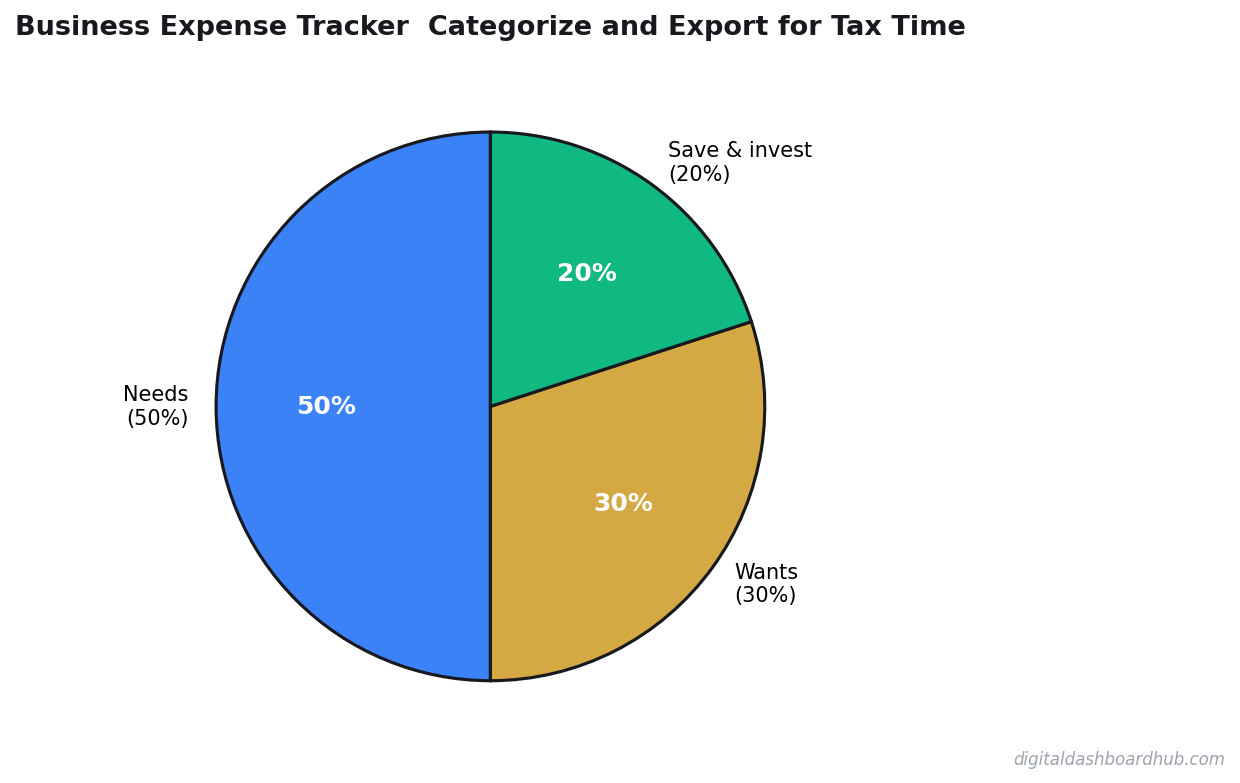
Manual vs. App vs. Dashboard: Which Tracking Method Wins?
I’ve tried all three approaches. Here’s the honest comparison:
If you’re a solo operator or side hustler, you don’t need full accounting software. You need a categorization system that exports clean data. That’s it.
The 5-Minute Weekly System That Saves Thousands
This is what actually works — I call it the Friday Five:
- Every Friday, spend 5 minutes reviewing the week’s transactions
- Categorize each one into the correct IRS bucket
- Flag anything unclear with a note so you remember context later
- Check your running deduction total — you should know this number at all times
That’s 260 minutes per year — about 4 hours total — to save thousands in deductions. The ROI on that time is absurd.
Want a pre-built expense categorization template that maps directly to Schedule C? Grab a free trial and get instant access to our business finance dashboards — including an expense tracker that exports CPA-ready reports.
Real Numbers: What Proper Tracking Saves You
Let’s do the math on a freelancer earning $75,000/year:
- Average legitimate deductions with proper tracking: $18,000-$22,000
- Average deductions claimed without tracking: $12,000-$15,000
- Gap: $6,000-$7,000 in missed deductions
- At a 22% marginal tax rate + 15.3% SE tax: that’s $2,238-$2,611 in unnecessary taxes
And that’s before accounting for the $300-$800 you save on CPA fees by handing them organized data instead of a disaster.
What to Look for in an Expense Tracker
Skip any tool that doesn’t have these three features:
- Custom categories that match IRS Schedule C — generic “food” and “transport” categories are useless at tax time
- CSV or PDF export — if you can’t get your data out, you don’t own it
- Running totals by category — you need to see “I’ve spent $3,400 on marketing this year” at a glance
Nice-to-haves: receipt photo storage, mileage tracking, quarterly estimated tax reminders. But the three above are non-negotiable.
What to Do Now
- Pick a system today. Spreadsheet, app, or dashboard — any of them work if you actually use it. The best system is the one you’ll maintain weekly.
- Backfill this quarter. Pull your bank statements for the last 90 days and categorize everything. Yes, it’s tedious. Do it once and you’re caught up.
- Set a Friday reminder. Five minutes every Friday. Put it in your calendar right now. Your April self will thank you.
Over 200 business owners use Digital Dashboard Hub’s finance tools to track expenses, project revenue, and stop leaving money on the table. Start your free trial — the expense tracker alone pays for itself at tax time.
The Expense Category Most Business Owners Get Wrong
I’ve looked at hundreds of small business expense breakdowns. The category that kills accuracy most often is “owner-paid personal expenses with a business purpose.” Software subscriptions paid with a personal card. A client lunch on a debit card. The wifi bill split between home and office use.
These are real deductions — and they disappear at tax time because nobody logged them. At a 28% effective tax rate, a $3,000 deduction you forgot about costs you $840 in real money. That’s a round-trip flight or three months of software tools.
How to Categorize Like an Accountant
The IRS doesn’t care what you name your categories — it cares that each line item maps to a deductible expense type. Here’s the mapping that saves the most time at year-end:
- Schedule C Line 8 (Advertising): Facebook ads, Google ads, sponsored posts, print materials
- Schedule C Line 11 (Contract labor): Freelancers, VA contractors, anyone who gets a 1099
- Schedule C Line 18 (Office): Supplies, subscriptions, software
- Schedule C Line 24 (Travel/meals): Business travel and 50%-deductible meals
Map your tracker categories to these lines now, not in April. It takes 20 minutes once and saves 3 hours at tax time.
The Before/After of Getting This Right
Before tracking: A freelance designer grossing $94,000 files with $12,000 in deductions — mostly obvious stuff like Adobe CC and a laptop. Tax bill: $22,800.
After tracking: Same income, but now they’ve captured $31,000 in total deductions — home office, mileage, equipment depreciation, contract labor, 50% of client meals, professional development. Tax bill: $15,200. That’s $7,600 saved by being organized, not by any fancy tax strategy.
Keep reading (related guides):
- Free Sinking Fund Calculator — Try It Now
- Free Menopause Symptom Tracker — Try It Now
- Nervous System Regulation Tracker: The Visual Dashboard That Helps You Understand Your Bodys Stress Signals
- I Owed $47,000 in Taxes and Had $11,000 in the Bank: How I Rebuilt My Freelance Finances From the Ground Up
- How to Start an Amazon FBA Business: Month-by-Month Revenue Expectations
255+ interactive tools for your money, time, and health.
Full dashboard access · Stripe-secure checkout · Cancel anytime
Keep Reading
- The Side Hustle Tax Trap: Track Every Dollar
- Freelancer Tax Guide 2026: What to Track All Year
- Freelancer Finance Dashboard: Track Income, Taxes, and Cash Flow
Common Questions About Business Expense Tracker: Categorize and Export for Tax Time
How long does it take to see results?
Most people see meaningful progress within 30-90 days when they apply these strategies consistently. The key is tracking your numbers from day one so you have a baseline to measure against.
What’s the biggest mistake people make?
Trying to do everything at once. Pick one or two strategies from this guide, implement them fully, then layer in additional tactics. Spreading yourself thin is the fastest way to see no results from any of it.
Do I need special tools or software?
Not necessarily to start — but the right tools eliminate hours of manual work. Our free calculators and trackers at Digital Dashboard Hub are a good starting point before you invest in paid software.

Andy Gaber is the founder of Digital Dashboard Hub, a suite of 255+ interactive financial, productivity, and wellness tools. He built DDH after getting frustrated with financial apps that gave outputs without context. Follow along for tool tutorials, revenue analytics breakdowns, and honest takes on personal finance.