You’re curled up on the couch with a heating pad, canceling plans for the third month in a row, and your doctor says “it’s normal.” But you know something is off — you just can’t prove it because you don’t have the data.
In This Article
- Why Period Pain Tracking Actually Matters
- What to Track (Beyond Just “Pain Level”)
- Period Trackers Compared: Apps vs. Spreadsheets vs. Dashboards
- How the DDH Period Tracker Handles This
- Three Mistakes That Sabotage Period Pain Tracking
- Using Your Tracking Data at the Doctor
- The Quick-Start Version
- Related Guides
Period tracking for pain management changes that conversation completely. When you walk into an appointment with three months of logged symptoms, severity scores, and cycle-day correlations, your doctor can’t brush you off. I’ve been tracking my own cycle pain for over a year, and the difference between “I think my cramps are getting worse” and “my pain has averaged 7/10 on days 1-3 for the last six cycles, up from 4/10 a year ago” is the difference between being dismissed and being heard.
Why Period Pain Tracking Actually Matters
Enter your own numbers in the interactive tool below and get a real-time read. The dashboard version adds saved scenarios, history, and full feature access.
Before DDH, I was doing this manually in spreadsheets. Here’s the faster way:
The gap isn’t that people don’t care. It’s that they don’t have organized data. When pain feels chaotic and unpredictable, it’s hard to advocate for yourself. When you can show a chart that says “my worst pain days correlate with high stress weeks and poor sleep,” suddenly you have a roadmap.
Tracking also reveals patterns you’d never catch otherwise. Maybe your worst days aren’t actually day 1 — they’re day 14 (ovulation pain). Maybe your migraines spike two days before your period starts, every single time. That kind of pattern recognition is worth more than any generic advice article.
What to Track (Beyond Just “Pain Level”)
Most period apps ask you to rate pain 1-10 and call it a day. That’s barely scratching the surface. Based on what I’ve seen actually moves the needle for pain management:
❤️ Most people overcomplicate this. Start with ONE metric and expand from there.
The magic happens when you cross-reference these data points over 3+ cycles. That’s when the “I don’t know why some months are worse” turns into “months where I sleep under 6 hours the week before my period, my pain severity jumps by 40%.”
Period Trackers Compared: Apps vs. Spreadsheets vs. Dashboards
I’ve tried them all, so let me save you the time.
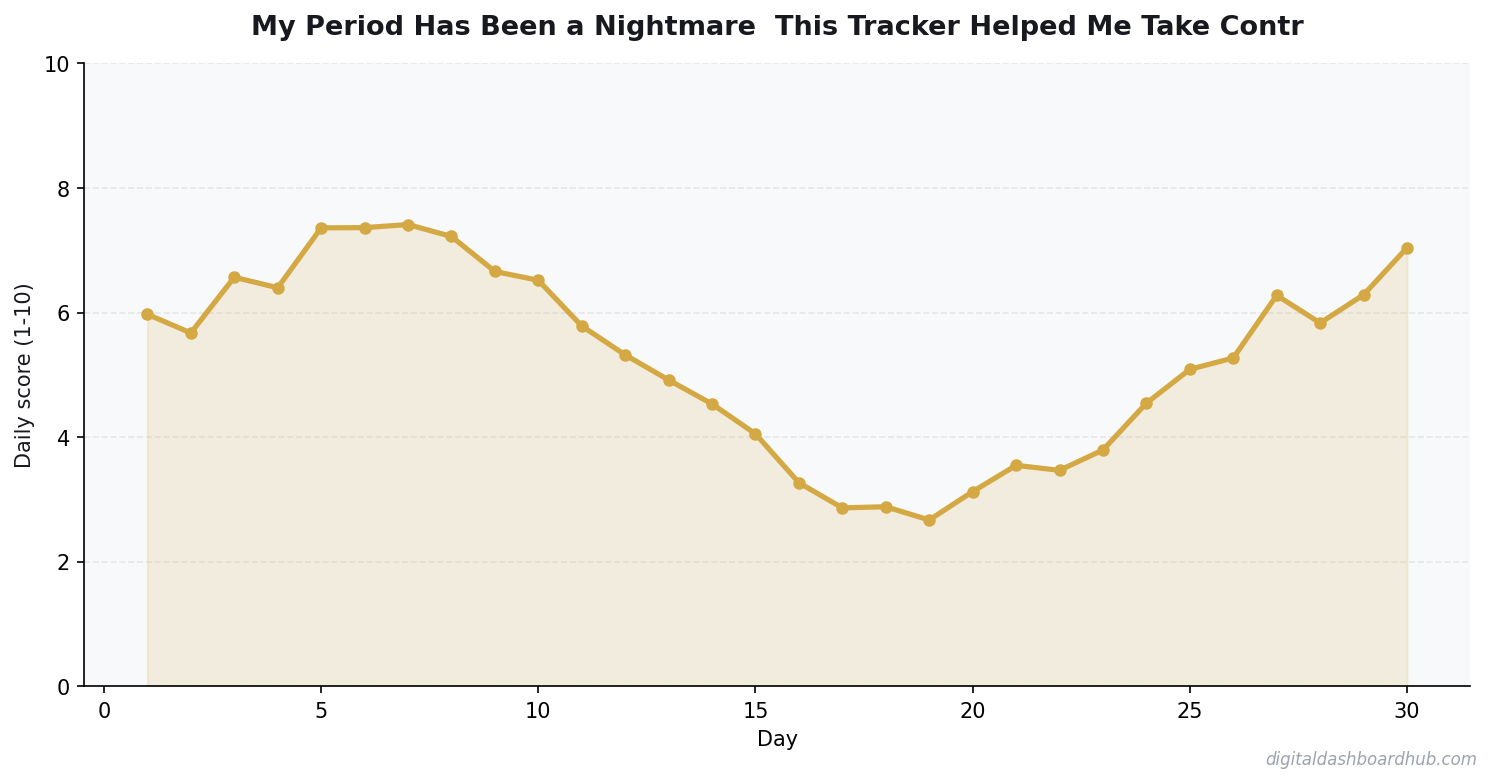
The big apps like Flo and Clue are fine for basic cycle prediction. But if you’re dealing with real pain issues — endometriosis, PCOS, fibroids, or just brutal cramps that are disrupting your life — you need something that lets you dig into the data, not just log a smiley face.
FREE BONUS: The Period Pain Tracking Cheat Sheet
A one-page template with every data point worth tracking, plus a script for talking to your doctor using your data.
Get instant access → Start Your Free Trial
How the DDH Period Tracker Handles This
The results surprised me this looks like in practice. Say you’ve been dealing with increasingly bad cramps and you want to figure out whether it’s getting worse or if you’re just noticing it more.
Step 1: You log your daily pain (location, severity, duration) plus lifestyle factors like sleep, exercise, and stress. Takes about 30 seconds at the end of each day.
Step 2: After two cycles, the dashboard generates an overlay chart showing your pain patterns across cycles. You can immediately see if cycle 5 was worse than cycle 3, and by how much.
Step 3: The correlation panel highlights connections you missed — like the fact that your ibuprofen is 60% more effective when taken preventatively on the day before your period starts, vs. reactively on day 1.
The part that sold me: the doctor visit summary. One click generates a clean report showing your average pain by cycle day, medication effectiveness, and lifestyle correlations. I brought this to my gynecologist and she said it was the most useful patient data she’d ever seen.
→ Try the DDH Period Tracker free
Three Mistakes That Sabotage Period Pain Tracking
Mistake #1: Only tracking on bad days. If you only log when you’re in agony, your data is skewed. You need the baseline — the “fine” days — to understand the contrast. A pain score of 7 means nothing without knowing your normal is 2.
Mistake #2: Not tracking long enough. One cycle tells you almost nothing. Three cycles shows a trend. Six cycles gives you statistically meaningful patterns. Commit to at least three months before drawing conclusions.
Mistake #3: Tracking without acting on the data. The whole point is to DO something with what you learn. Bring it to your doctor. Adjust your medication timing. Change your exercise routine during high-pain days. Data without action is just a diary.
3 min/day
is all it takes to maintain a meaningful tracking practice
Using Your Tracking Data at the Doctor
This is the payoff. When you show up with organized pain data, the conversation shifts from “tell me about your symptoms” to “let’s look at these patterns together.”
I recommend printing or sharing a summary that shows: average pain severity per cycle day, worst pain episodes with context, and what medications you’ve tried with effectiveness ratings. Doctors are trained to work with data. Give them data.
If your doctor still dismisses your tracked, documented pain, that’s a clear signal to find a new doctor. Your data isn’t wrong — their listening is.
The Quick-Start Version
Right now (2 minutes): Write down your pain from your last period — location, severity 1-10, what you took for it. Even retroactive data is better than nothing.
This week: Start logging daily during your next cycle. Pain, sleep, stress, medication. Just those four data points will reveal patterns within two months.
Long game: Try the DDH Period Tracker and let the dashboard build your correlation maps automatically. Three cycles from now, you’ll have data that
Key Takeaways
- Track one thing consistently rather than five things sporadically
- Review your data weekly — daily logging without weekly review is just data hoarding
- The best tool is the one you’ll actually open every day
changes how your doctor treats your pain.
Still here? You’re serious about this.
Join 400+ people who grabbed the Period Pain Tracking Cheat Sheet this month. Takes 2 minutes to set up.
Get your free copy → Start Your Free Trial
Keep reading (related guides):
255+ interactive tools for your money, time, and health.
Full features for 14 days · Secure payment · Stop anytime
100%
Browser-Based
No downloads, no installs, works on any device
Related Guides
- Period Tracking 101: What Your Cycle Is Telling You About Your Health
- PCOS Symptom Tracking: How Monitoring Your Body Helps You Take Back Control
- Perimenopause Is Not Just Hot Flashes: The Symptom Tracker That Proves It
- Stress Level Tracker: How Measuring Your Stress Helps You Actually Manage It

Andy Gaber is the founder of Digital Dashboard Hub, a suite of 255+ interactive financial, productivity, and wellness tools. He built DDH after getting frustrated with financial apps that gave outputs without context. Follow along for tool tutorials, revenue analytics breakdowns, and honest takes on personal finance.