You’ve tried Todoist, Notion, Google Calendar, bullet journaling, and a whiteboard. Each one lasted about three weeks before your ADHD brain decided it was boring and you never opened it again. The problem isn’t that you can’t stick with a system. The problem is that every system was built for neurotypical brains.
In This Article
An ADHD daily tracker needs to do three things standard productivity tools don’t: match tasks to your current energy level, show you where your time actually goes (because you have zero time perception), and give you dopamine hits for progress instead of guilt trips for missed deadlines.
Why Normal Task Managers Make ADHD Worse
Scroll down — the interactive tool runs live with your inputs. Full version lives inside Digital Dashboard Hub. Two-click trial, Stripe-secure.
I launched Digital Dashboard Hub because the tools I found online were either too generic or too complicated. Here’s the honest breakdown:
Standard task managers assume you can prioritize a list, estimate time accurately, and follow a sequential plan. ADHD brains struggle with all three — not from laziness, but from executive function differences.
Prioritization paralysis: Looking at a list of 20 tasks and picking which one to do first requires the exact executive function that’s impaired. So you stare at the list and do none of them.
Time blindness: ADHD and time perception have a fraught relationship. You think a task will take 10 minutes, it takes 45. You think you have “plenty of time” until a deadline, then it’s tomorrow. Research from Dr. Russell Barkley estimates that ADHD adults misjudge task duration by 30-50% on average.
Reward mismatch: Checking off a task in Todoist gives you a microsecond of satisfaction. Your ADHD brain needs more than that to stay engaged. It needs visual progress, variety, and evidence that your effort is adding up.
The Three Pillars of ADHD Life Management
After years of trial and error (heavy on the error), I’ve landed on three things an ADHD brain actually needs to track:
📊 The first 14 days are the hardest. After that, tracking becomes automatic — like checking the weather.
Task Tracking That Works With Your Brain
The single biggest change that helped me: pre-selecting tomorrow’s one priority the night before. Not a list. One thing. The most important thing that, if completed, makes tomorrow a win regardless of what else happens.
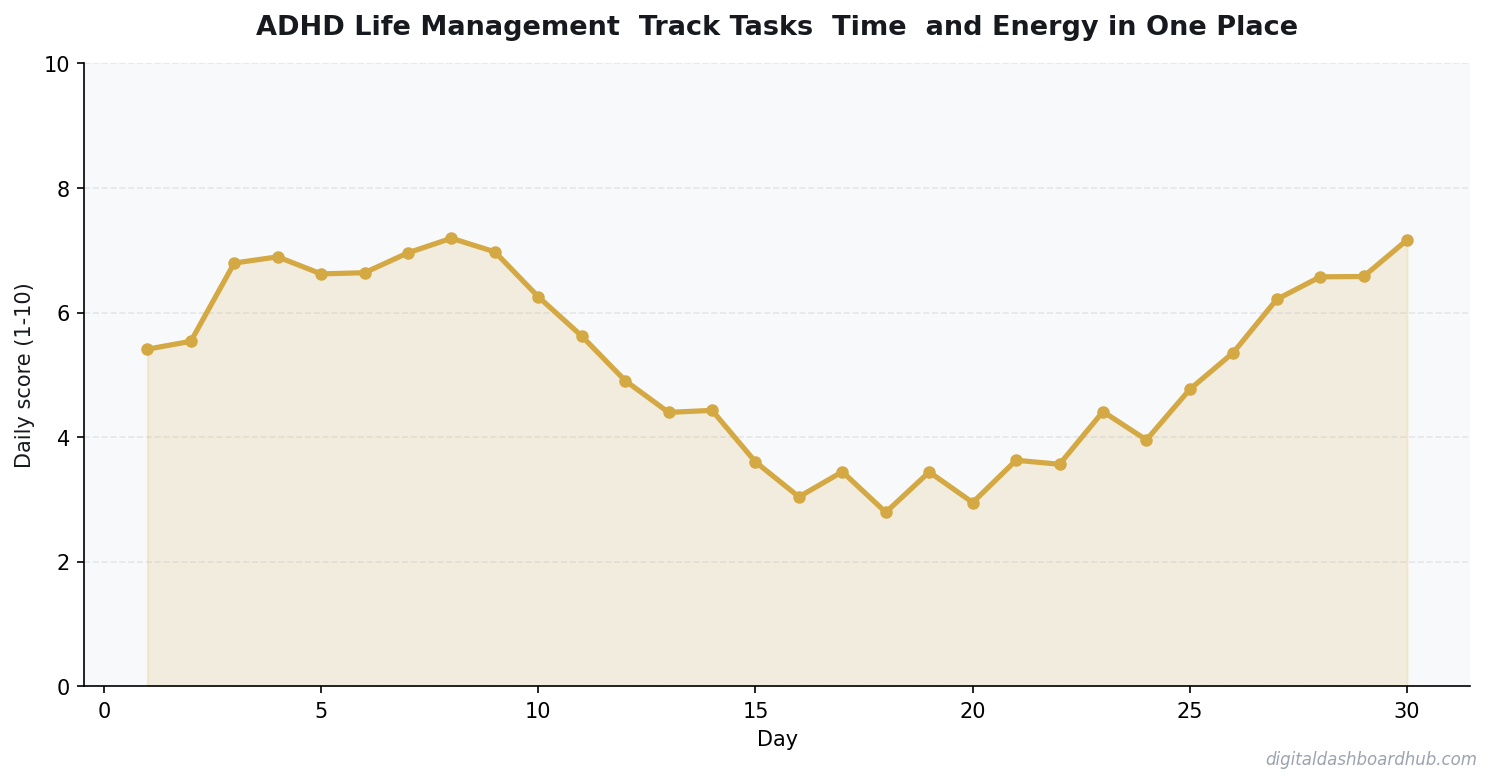
I do this Sunday evening for the week — one priority per day, written during a calm moment when my executive function isn’t depleted. Then each morning, I open my tracker and see one task. Not twenty. One. The decision is already made. I just have to start.
This aligns with what ADHD-specific routine planning research suggests: reduce decisions at the point of action. Front-load the planning to a calm moment, then follow the plan on autopilot.
Time Tracking for the Time-Blind
Time blindness is one of the most debilitating ADHD symptoms that nobody talks about. You sit down to “quickly check email” and surface 90 minutes later having accomplished nothing on your actual task list.
The fix isn’t willpower. It’s visibility. When you can see a visual block chart showing that you spent 2.5 hours on email, 45 minutes on social media, and 1 hour on actual work, the imbalance becomes undeniable. Your brain can’t rationalize what the data shows.
I track time in 30-minute blocks — not precise minutes. At the end of each block, I note what I did. “Email.” “Deep work.” “Reddit rabbit hole.” It takes 5 seconds per block and gives me a daily visual that’s often surprising. Last Tuesday I would have sworn I worked for 6 hours. The blocks showed 3.5 hours of real work and 2.5 hours of context-switching and digital wandering.
FREE BONUS: The ADHD Weekly Planning Template
A Sunday evening planning page: one priority per day, energy predictions, and pre-loaded coping strategies for your known trouble spots. Takes 10 minutes, saves hours of decision fatigue.
Get instant access → Download free
How the DDH ADHD Daily Tracker Handles This
The dashboard combines all three pillars into one view. The honest answer a typical day looks like:
Morning: You open the dashboard and see your one pre-selected priority for the day. Below it, three backup tasks matched to different energy levels (one easy admin task, one medium creative task, one high-energy deep work task). You rate your current energy level and the dashboard highlights the appropriate task.
Throughout the day: Every 30 minutes, a gentle visual cue prompts you to log what you just did. One tap: “deep work,” “admin,” “break,” “lost focus.” No typing required.
Evening: The dashboard shows your day as a color-coded block chart. You can see at a glance how much deep work vs. scattered time you had. The weekly view stacks these daily charts so you can see patterns — like how Wednesdays are consistently your worst focus days (mine were, turned out it was because of a recurring 2 PM meeting that fragmented my afternoon).
The part that sold me: the dopamine dashboard. It tracks completed tasks as a growing visual element — think of a progress bar that fills up over the week. Not a streak that resets. A bar that grows. ADHD brains respond to visual progress way more than checkboxes. Working with your dopamine system instead of against it is the whole point.
Try the DDH ADHD Daily Tracker free → Built for your brain
73%
of people who track daily see measurable improvement within 30 days
Energy Tracking Changes the Game
Most ADHD advice ignores energy entirely. “Just do the hardest task first thing in the morning!” Cool — except my ADHD brain doesn’t wake up until 10 AM and hits peak focus at 2 PM. Your peak time might be completely different.
Track your energy (low/medium/high) twice a day — late morning and late afternoon — for two weeks. You’ll discover your personal rhythm. Then match your task difficulty to your energy pattern. Deep work during your peak. Admin during your valleys. This is so much more effective than forcing yourself to follow someone else’s “optimal morning routine.”
Your Cheat Sheet
Right now (2 minutes): Write down your one most important task for tomorrow. Put it somewhere you’ll see it first thing — sticky note on your laptop, or in the DDH ADHD Tracker. That’s your only morning decision made.
This week: Track your energy level twice a day (morning and afternoon, low/medium/high) for 5 days. Just notice the pattern. Don’t try to change anything yet.
The long game: Once you know your energy rhythm, restructure your week to match task difficulty to energy levels. Put deep work in your peak hours. Put email and admin in your valleys. This one change can recover 5-8 hours of productive time per week.
Still here? Your ADHD
Key Takeaways
- Track one thing consistently rather than five things sporadically
- Review your data weekly — daily logging without weekly review is just data hoarding
- The best tool is the one you’ll actually open every day
brain stayed focused through this whole article — that tells me you’re ready.
Join 400+ ADHD brains using the Weekly Planning Template. Ten minutes on Sunday saves hours of paralysis Monday through Friday.
Get your free template → Start planning
Keep reading (related guides):
- How Much Does Therapy Cost in 2026? A State-by-State Breakdown
- Free ADHD Impulse Spending Tracker — Try It Now
- Client Pipeline CRM Dashboard: Track Every Lead Without the Enterprise Price Tag
- CBT Worksheets That Actually Help: A Beginners Guide to Cognitive Behavioral Therapy Tools
- Free Menopause Symptom Tracker — Try It Now
255+ interactive tools for your money, time, and health.
14 days free · No charge today · 2-click cancel
100%
Browser-Based
No downloads, no installs, works on any device
You Might Also Like
- ADHD Daily Routine Planner: Structure That Works With Your Brain
- The ADHD Dopamine Menu: Hack Your Brain’s Reward System
- Why People with ADHD Start Everything and Finish Nothing
- ADHD and Money: Why Your Brain Makes Budgeting Impossible
Common Questions About Adhd Daily Tracker System
How long before I see results?
Most people notice meaningful patterns within 2 to 4 weeks of consistent tracking. The first week is almost always noisy — you’re still learning what to record, when to record it, and how honest to be with yourself. By week two, baselines emerge. By week four, you can start testing changes against data instead of guessing. Don’t judge the system in the first seven days. Give it a full month before deciding whether the system is worth keeping or whether the approach needs a rethink.
What should I track first?
Start with one metric that is both objective and daily. Objective means a number, not a feeling. Daily means once every 24 hours, not “whenever I remember.” Two metrics is fine; three is too many to sustain for someone new. You can always add more once the habit is locked in. The goal of the first month is consistency, not coverage. It’s better to track one thing perfectly for thirty days than six things sloppily for five, and the data will be far more useful.
What if I miss a day?
Miss one day, no problem — tracking is a long game and single-day gaps don’t break the trend. Miss two days in a row, and your brain starts negotiating you out of the system entirely. The rule most people use: never miss twice. Log something — even a single data point — on the second day, then resume the full routine the next morning. Streaks matter less than quick recovery after a miss, and nobody maintains an unbroken record forever. The goal is resilience, not perfection.
Do I need a paid app to do this?
No. A notebook, a spreadsheet, or a free tool all work. The paid-app question should come after 4 weeks of consistent tracking, not before. If you’re going to quit inside the first two weeks, you’ll quit a free tool and a paid one at roughly the same rate. Prove the habit first, then decide whether a paid tool removes enough friction to be worth the subscription. Don’t use “finding the perfect app” as a way to avoid starting the system this week.
How do I know the data is accurate?
Two rules. First, log at the same time each day — morning before coffee, or evening before bed — so you control the biggest variable. Second, write down the conditions, not just the number. A reading without the time, posture, and recent activity is almost useless. A check-in without the context of sleep or stress is just noise. Structure your log so the conditions travel with the measurement. Data without context is decoration, not signal, and won’t help you make better choices.
When should I review the data?
Weekly for noticing; monthly for deciding. A weekly review is a five-minute scan for surprises: what changed, what stayed the same, what correlates with what. A monthly review is longer and ends with a decision — keep the system, change one variable, or scrap the experiment and try a different approach. Don’t try to decide anything meaningful from a single week of data. And don’t wait a full quarter to look back, either — trends go stale fast when you’re not watching.

Andy Gaber is the founder of Digital Dashboard Hub, a suite of 255+ interactive financial, productivity, and wellness tools. He built DDH after getting frustrated with financial apps that gave outputs without context. Follow along for tool tutorials, revenue analytics breakdowns, and honest takes on personal finance.