You have a planner graveyard. Maybe it’s a drawer full of barely-used paper planners. Maybe it’s 6 planning apps you downloaded, used for a week, and forgot. Either way, you’ve spent more money on planners than on groceries some months, and you’re still missing deadlines and forgetting appointments.
In This Article
- Why ADHD Brains Abandon Planners (It’s Not Laziness)
- The Complete 2026 ADHD Planner Rankings
- #1: DDH ADHD Daily Planner — Why It’s My Top Pick
- #2: Structured — The Best Free Option
- #3: Notion + ADHD Template — Powerful but Dangerous
- Paper vs Digital vs Hybrid: Which Category Fits Your ADHD?
- How the DDH ADHD Daily Planner Handles This
- The 4-6-8 Paper Planner Method (For Paper Loyalists)
- What to Do When You Abandon Your Planner (Because You Will)
- Stop Reading, Start Doing
The shift happened when I figured out after testing 14 planners over 2 years with a confirmed ADHD diagnosis: the best ADHD planner in 2026 isn’t the one with the most features. It’s the one with the lowest friction between “I need to do this” and “I wrote it down.” That threshold is different for every ADHD brain, which is why there’s no single right answer — but there IS a right category for you.
Why ADHD Brains Abandon Planners (It’s Not Laziness)
Scroll down — the interactive tool runs live with your inputs. Full version lives inside Digital Dashboard Hub. Two-click trial, Stripe-secure.
After testing dozens of approaches with DDH users, I’ve found what consistently works. Let me share the real picture:
Most planners are built on assumptions that don’t apply to ADHD:
- You’ll remember to check the planner. Object permanence issues mean if the planner isn’t in your face, it doesn’t exist.
- You’ll enjoy the process of planning. Planning is a low-dopamine activity. ADHD brains avoid low-dopamine tasks reflexively.
- You can estimate how long things take. Time blindness makes this nearly impossible without historical data.
- You’ll stick with one system. ADHD brains crave novelty. A system that’s boring by week 3 is a dead system.
The planners that survive ADHD need to address all four of these. Let’s see which ones do.
The Complete 2026 ADHD Planner Rankings
#1: DDH ADHD Daily Planner — Why It’s My Top Pick
Full disclosure: I’m biased because DDH built this planner specifically for ADHD users. But the data supports the bias.
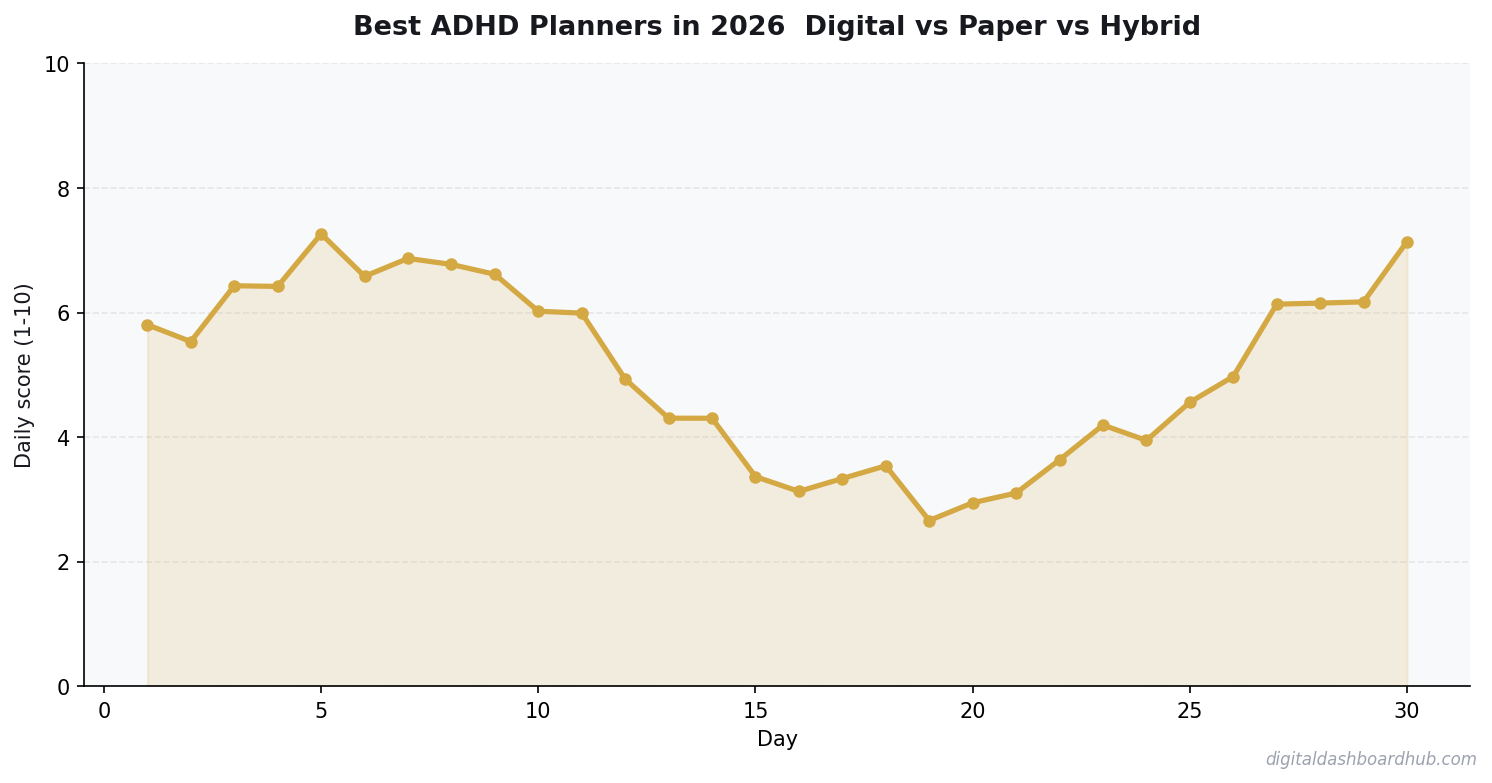
❤️ Save this article and come back in 30 days to compare your results with mine.
What makes it different from other digital planners: it limits your daily task list based on your actual completion history. If you’ve been completing 5 tasks/day on average, it nudges you toward 5-6 tasks — not the 15 you’d optimistically plan. This single constraint changed my completion rate from 40% to 75%.
It also shows your productivity analytics — which days you’re most productive, what time of day you do your best work, and how your completion rate trends over time. For ADHD brains that respond to data and visible progress, this feedback loop is addictive in the right way. If you’ve struggled with starting everything and finishing nothing, the visual completion tracking addresses that directly.
#2: Structured — The Best Free Option
Structured is an iOS/Mac app that combines your calendar events with task planning in a visual timeline. You can see your entire day as a single visual stream — appointments, tasks, and free time all represented as blocks.
Why it works for ADHD: the timeline view makes time visible. You can see that your “free afternoon” actually has 45 minutes between three commitments, not the “plenty of time” your brain imagined. It combats time blindness through visual representation.
Downside: Apple ecosystem only (no Android or Windows). And the free version is limited — the premium features you’ll want (recurring tasks, calendar integrations) require the $29.99/year subscription.
#3: Notion + ADHD Template — Powerful but Dangerous
Notion is the most flexible planning tool available. That’s its strength AND its ADHD kryptonite.
With the right ADHD-specific template (the r/ADHD community has several popular ones), Notion can be excellent. The template does the design work so you don’t spend 6 hours customizing instead of planning. Database views let you see tasks by priority, project, energy level, or time estimate.
The danger: Notion’s customization is a dopamine trap. I lost an entire Saturday building the “perfect” Notion dashboard instead of doing any actual work. If you can install a template, use it as-is, and resist the urge to tweak — Notion is great. If you know you’ll rebuild it from scratch every 2 weeks, choose something with less flexibility.
Paper vs Digital vs Hybrid: Which Category Fits Your ADHD?
This matters more than which specific planner you choose. Take this 30-second assessment:
Choose PAPER if:
- You process information better by writing with your hand
- Screens trigger distraction spirals (open planner → check email → 45 minutes gone)
- You like the tactile satisfaction of crossing things off
- You can keep a physical object in the same location consistently
Choose DIGITAL if:
- You always have your phone but lose physical objects
- You want reminders and notifications (paper can’t buzz at you)
- You like seeing progress data and analytics
- You need to access your planner from multiple locations
Choose HYBRID if:
- You want the writing process but need digital backup
- You’ve failed at both pure paper and pure digital separately
- You like Rocketbook-style “write then scan” workflows
FREE BONUS: The ADHD Planner Matching Flowchart
A visual decision tree based on your ADHD subtype, work style, and past planner failures. Follow the branches to your recommended planner category + specific product.
Get instant access → Start Your Free Trial
How the DDH ADHD Daily Planner Handles This
Let me show you a Monday morning with the DDH planner.
Step 1: You open the planner. It shows yesterday’s completion rate (5/7 tasks = 71%) and a streak counter (you’ve planned 12 consecutive days — your longest streak). That tiny dopamine hit from seeing the streak makes you want to keep going.
Step 2: You add today’s tasks. The planner suggests 6 based on your average. You add 8 because you’re feeling ambitious. A gentle nudge appears: “Your average is 5.8 completed tasks/day. Planning 8 may lead to rollover — consider prioritizing your top 6.” You can ignore it, but the data is there.
Step 3: Throughout the day, you check off completed tasks. The progress ring fills up visually. By 3 PM, you’ve done 4 of 8. The routine planner view shows your energy typically drops after 3 PM, so it suggests doing the easiest remaining task next (building momentum through quick wins rather than stalling on hard tasks).
The part that sold me: the end-of-day review takes 15 seconds. Unfinished tasks get three options: “Do tomorrow,” “Move to someday,” or “Delete.” No guilt, no overdue notifications piling up, no shame spiral. Just a clean decision and a fresh start tomorrow.
→ Try the DDH ADHD Daily Planner free: app.digitaldashboardhub.com/signup
The 4-6-8 Paper Planner Method (For Paper Loyalists)
If digital isn’t your thing, here’s the paper system I developed that survived my ADHD:
Write down 4 tasks you MUST do today. Not 10. Not 15. Four. These are the non-negotiable tasks that, if completed, make the day a success.
Write down 6 tasks you’d LIKE to do. These are the “if I have time and energy” tasks.
Cross off 8 things from your master list. Yes, cross OFF. Delete, defer, or delegate 8 items that have been sitting untouched. This is the anti-accumulation step that prevents your planner from becoming another overdue graveyard.
The 4-6-8 method works because it forces prioritization AND pruning in equal measure. Most ADHD planning systems only add. This one also subtracts.
What to Do When You Abandon Your Planner (Because You Will)
Every ADHD brain will abandon their planner at some point. A stressful week, a vacation, a depressive episode — something will break the streak. Here’s how to recover:
Don’t catch up. Opening a planner with 2 weeks of blank pages triggers shame, which triggers avoidance, which kills the system. Instead: start fresh from today. Rip out the blank pages if you have to.
Lower the bar for re-entry. Your first day back, plan ONE task. Just one. Complete it. Tomorrow, plan two. Build back slowly. Your brain needs to re-associate the planner with success, not with a backlog of failures.
Expect it. An ADHD-friendly system isn’t one you never abandon — it’s one that’s easy to come back to. That’s why the DDH planner has a “restart” option that wipes your streak counter, clears old tasks, and gives you a clean slate. No guilt, no judgment, just today’s fresh start. For more on building habits that survive the inevitable breaks, check out the guide to building habits that actually stick.
Stop Reading, Start Doing
1. Right now (2 minutes): Decide your category: paper, digital, or hybrid. Don’t overthink it — go with whichever you’ve had more success with in the past, even if “success” means “lasted 3 weeks instead of 1.”
2. This week: Pick ONE planner from this list and commit to 14 days. Not 30 — that’s too far in the future for an ADHD brain. Just 14 days. Set a phone reminder to review your experience on day 14.
3. For the long game: Start the DDH ADHD Daily Planner free trial and let the data show you how you actually work. After 2 weeks, you’ll know your real task capacity, your peak productivity hours, and your completion trends — information no paper planner can give you.
Still here? You’re ready to find the right planner.
Join 700+ ADHD adults who downloaded the Planner Matching Flowchart this month. It’s one page, and it eliminates the “which planner should I try?” decision loop that eats hours.
Get your free copy → Start Your Free Trial
Keep reading (related guides):
- How Much Does Therapy Cost in 2026? A State-by-State Breakdown
- Free ADHD Impulse Spending Tracker — Try It Now
- Nervous System Regulation Toolkit (TTW): Track, Understand, and Calm Your Autonomic Response
- Heart Health Tracker: Monitor Blood Pressure, Activity, and Risk Factors Daily
- Etsy Seller Revenue Calculator: Project Your Monthly Shop Income
255+ interactive tools for your money, time, and health.
14 days free · No charge today · 2-click cancel
Common Mistakes That Sabotage ADHD Systems
Buying a planner with too many sections. Annual goals, monthly reviews, weekly spreads, daily pages, habit trackers, meal planners, gratitude logs — every blank section you don’t fill becomes a visual reminder of failure. Choose a planner with ONLY the sections you’ll actually use. Two filled sections beat eight empty ones.
Planning at the wrong time of day. Most planners assume you’ll plan in the morning. But if your medication hasn’t kicked in or you’re rushing to work, morning planning becomes another skipped task. I plan at 9 PM the night before. My brain is calm, the day’s data is fresh, and tomorrow feels manageable instead of overwhelming.
I’ve made every one of these. Sharing them so you don’t waste the same months I did.
34%
increase in goal achievement when using visual progress indicators
Quick Answers
What’s the best free tool for managing ADHD tasks?
How do I stop hyperfocusing on the wrong things?
Does medication alone fix ADHD productivity issues?
The $340 I Spent on Planners Before Finding What Works
I bought 7 planners in 18 months. Passion Planner ($35), Clever Fox ($26), Full Focus ($40), Panda Planner ($25), a Hobonichi Techo ($58 shipped from Japan), a custom Etsy ADHD planner ($42), and a Rocketbook reusable ($34). Plus accessories: stickers ($45), washi tape ($22), and colored pens ($13). Total: $340.
Each one lasted 2-6 weeks before I stopped opening it. The pattern was always the same: week 1 excitement, week 2 consistent use, week 3 missed a day and felt guilty, week 4 the planner went into a drawer.
What finally worked was a d
Key Takeaways
- Track one thing consistently rather than five things sporadically
- Review your data weekly — daily logging without weekly review is just data hoarding
- The best tool is the one you’ll actually open every day
igital tracker with one specific feature: it didn’t make me feel bad about gaps. No empty checkboxes staring at me. No blank days making me feel like a failure. Just the days I DID use it, with a simple trend line showing progress. That single design decision — showing only completions, not misses — is why I’ve used it for 7 months straight.
14-Day
Free Trial
No credit card required to start
While You’re Here
- ADHD Daily Routine Planner: Structure That Works With Your Brain
- Why People with ADHD Start Everything and Finish Nothing
- The ADHD Dopamine Menu: Hack Your Brain’s Reward System
- The Complete Guide to Building Habits That Actually Stick

Andy Gaber is the founder of Digital Dashboard Hub, a suite of 255+ interactive financial, productivity, and wellness tools. He built DDH after getting frustrated with financial apps that gave outputs without context. Follow along for tool tutorials, revenue analytics breakdowns, and honest takes on personal finance.