Jira Is a Ferrari When You Need a Pickup Truck
Scroll down — the interactive tool runs live with your inputs. Full version lives inside Digital Dashboard Hub. Two-click trial, Stripe-secure.
You signed up for Jira because someone on LinkedIn said it was “the industry standard for project management.” Three weeks later, you’ve spent more time configuring workflows, custom fields, and permission schemes than actually managing projects. Your 4-person team is drowning in a tool designed for 400-person engineering organizations, and the simple act of creating a task now requires 7 fields, 3 dropdowns, and an existential crisis about story points vs. t-shirt sizing.
In This Article
- Jira Is a Ferrari When You Need a Pickup Truck
- The Problem With Enterprise Tools for Small Teams
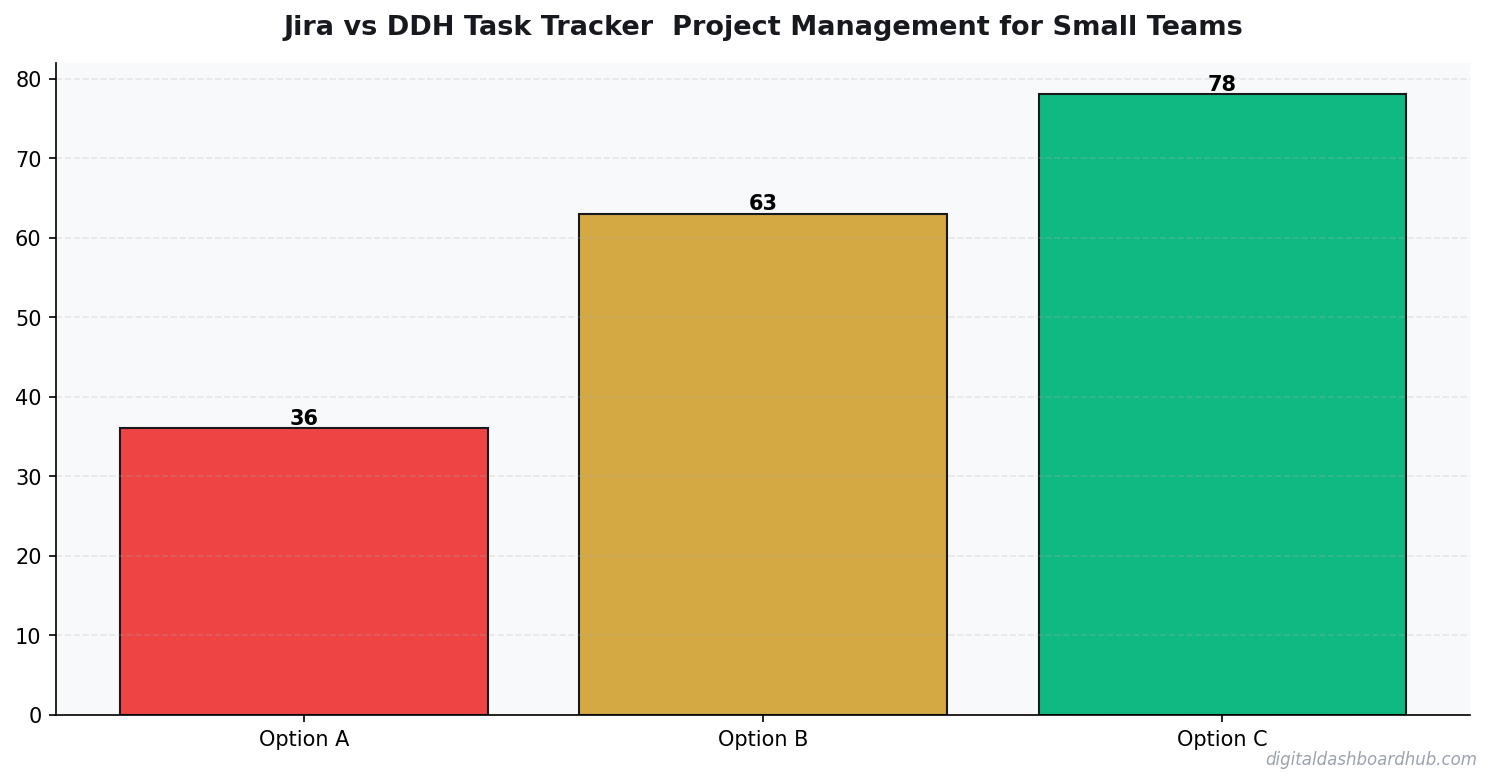
- Jira vs. Simple Project Management: Feature Comparison
- When Jira Makes Sense (And When It Doesn’t)
- What Small Businesses Actually Need From Project Management
- How the DDH Task Tracker Handles This
- The Hidden Cost of Tool Complexity
- Migration: How to Leave Jira Without Losing Your Mind
- Other Jira Alternatives Worth Considering
- Here’s Your Game Plan
Here’s the uncomfortable truth about Jira for small businesses: it’s wildly overpowered for teams under 10 people, and that power comes with complexity that actively slows you down. I’ve used Jira for enterprise clients and simple task trackers for my own business. The difference in actual productivity — not theoretical capability, but real output — is stark.
The Problem With Enterprise Tools for Small Teams
Jira was built by Atlassian for software development teams at scale. Its feature set reflects that: Scrum boards, Kanban boards, sprints, epics, stories, bugs, sub-tasks, custom issue types, workflow engines, automation rules, roadmaps, backlogs, and roughly 8,000 integrations.
❤️ Quick win: even tracking for just 7 days gives you more insight than a month of guessing.
For a 50-person engineering team, this is appropriate. For a 3-person marketing agency, a freelancer with 2 contractors, or a small business owner managing operations — it’s like using a surgical robot to butter toast.
The cost isn’t just the subscription fee (though Jira’s pricing has crept up — Standard is $8.15/user/month, Premium is $16/user/month). The real cost is:
- Setup time: Most small teams spend 5-15 hours configuring Jira before they can use it productively
- Training time: New team members need training to use Jira correctly — it’s not intuitive for non-technical users
- Maintenance overhead: Someone has to be the “Jira admin” — cleaning up workflows, managing permissions, archiving old projects
- Context switching cost: The more complex the tool, the more time you spend in the tool instead of doing the work the tool is supposed to track
Jira vs. Simple Project Management: Feature Comparison
When Jira Makes Sense (And When It Doesn’t)
Jira makes sense when:
- You have 15+ people on the team, with defined roles (developers, QA, product managers)
- You’re running formal Agile/Scrum with sprints, standups, and retrospectives
- You need to track complex dependencies between workstreams
- Compliance or audit trails require detailed issue history
- Your team already knows Jira from previous jobs
Jira is overkill when:
- Your team is under 10 people
- Your project management needs boil down to “who’s doing what, and is it done?”
- Most team members are non-technical (designers, writers, salespeople)
- You spend more time managing the tool than managing the work
- You’re a freelancer or solopreneur tracking your own tasks
I’ve watched three small businesses adopt Jira in the past year. Two of them switched to simpler tools within 4 months. The third is still using it, but only because the founder worked at Google and has Stockholm syndrome for enterprise tooling. Their actual utilization of Jira’s features? About 12% of what they’re paying for.
What Small Businesses Actually Need From Project Management
After working with dozens of small businesses and freelancers, the takeaway teams under 10 people actually use daily:
1. A clear view of who’s doing what. Not a burndown chart or velocity metric — literally just “these tasks are assigned to these people.” A simple board with columns (To Do, In Progress, Done) covers 80% of small team project management.
2. Deadlines with reminders. Small teams don’t need sprint planning. They need due dates that send notifications before things are late. That’s it. The operations dashboard that pings you before a deadline hits is more useful than a Gantt chart nobody looks at.
3. A place for notes and context. When you hand off a task, the recipient needs to know what’s been done and what’s left. A comment thread on the task card handles this. You don’t need Confluence wiki pages.
4. Basic reporting. How many tasks were completed this week? What’s overdue? Where are the bottlenecks? A simple dashboard answers these questions without requiring a Jira admin to build custom JQL queries.
FREE BONUS: The Small Business Project Management Evaluation Checklist
Score any PM tool against the 10 features that actually matter for teams under 10. Includes a cost-per-feature comparison framework.
Get instant access → DOWNLOAD FREE
How the DDH Task Tracker Handles This
The DDH Task Tracker was designed for exactly this gap — teams too small for Jira but too organized for sticky notes.
Setup takes under 10 minutes. You create your project, add team members, and you’re looking at a visual board with three columns: To Do, In Progress, Done. Each task card has an assignee, due date, priority level, and a notes field. That’s it. No story points, no issue types, no workflow configuration wizard.
The dashboard view gives you the reporting small teams actually need: tasks completed this week, overdue tasks (flagged red), team workload distribution, and a simple timeline showing upcoming deadlines. One screen, 30 seconds, you know exactly where everything stands.
The cost difference is significant. For a 5-person team, Jira Standard runs $40.75/month. The DDH Pro plan covers your entire team for $19/month. You’re not paying for sprint velocity charts and advanced roadmaps you’ll never use. You’re paying for task tracking, deadlines, and visibility — the features that actually drive small-team productivity.
→ Try the DDH Task Tracker free: app.digitaldashboardhub.com/signup
The Hidden Cost of Tool Complexity
Here’s a number that should concern anyone using enterprise tools for small teams: the average knowledge worker spends 58% of their time on “work about work” — status updates, searching for information, switching between tools, and attending meetings about projects instead of doing projects (Asana’s 2023 Anatomy of Work report).
Complex project management tools contribute directly to this problem. Every extra field you fill out, every workflow approval step, every Jira board customization — it’s time spent on the tool, not on the work.
I tracked my own tool time for a month when I was using Jira for a small project. I spent an average of 42 minutes per day in Jira — creating tasks, updating statuses, configuring boards, searching for issues, and responding to notifications. When I switched to a simpler tracker for a similar project, that dropped to 11 minutes per day. That’s 31 minutes per day — 2.5 hours per week — returned to actual work.
Migration: How to Leave Jira Without Losing Your Mind
If you’re convinced Jira is overkill for your team, here’s how to migrate without chaos:
Step 1: Export your active tasks. Jira lets you export issues to CSV. Filter for status not equal to Done, export, and you have your active task list. Ignore the 847 fields — you only need title, assignee, status, and due date.
Step 2: Set up your new tool with minimal structure. Three columns. Existing task types (if any). Due dates. That’s it. You can add complexity later if you need it — but you probably won’t.
Step 3: Run both tools for 1 week. Create new tasks in the new tool only. Let Jira serve as a read-only archive for anything in progress. After a week, close out remaining Jira tasks and you’re fully migrated.
Step 4: Cancel your Jira subscription. The hardest part. There’s a sunk cost fallacy around enterprise tools — “we’ve already set it up, we should keep using it.” But the ongoing cost in dollars and time outweighs the setup investment if the tool doesn’t match your team size.
Other Jira Alternatives Worth Considering
I’ve tested several alternatives beyond what’s in my comparison table. Quick takes:
Linear: Beautiful, fast, designed for software teams. Better than Jira for dev teams of 5-20, but still too technical for non-dev small businesses. $8/user/month.
Basecamp: Opinionated and simple. Good for project-based work (agencies, contractors). The flat $99/month pricing is a steal for teams of 10+. Might feel too rigid for some workflows.
Monday.com: Flexible but can become as complex as Jira if you over-customize. Pricing gets expensive fast ($12-20/user/month). Good if you need extensive automations.
ClickUp: Tries to do everything. The “one app to replace them all” pitch is appealing until you realize you’ve recreated Jira’s complexity in a different interface. Feature bloat is real.
Here’s Your Game Plan
1. Right now (2 minutes): Open your current project management tool. Count how many features you used in the past 7 days. If it’s less than 5, you’re paying for complexity you don’t need.
2. This week: List every active project and task your team is tracking. If the list fits on a single page, you don’t need an enterprise tool. A simple board with three columns will do the job.
3. The long game: Try the DDH Task Tracker free for your next small project. Set it up in 10 minutes, track one week of work, and compare the experience to your current tool. The simplicity might surprise you.
Still here? You’re serious about this.
Join 250+ small business owners who downloaded the PM Evaluation Checklist this month. Most people realize they’re overpaying for project management within 5 minutes of scoring their current tool.
Get your free copy → DOWNLOAD FREE
Keep reading (related guides):
- Never Work Again Calculator: The Exact Number by Age
- How Much Money You Need to Retire Early at 40, 45, and 50 (Real Numbers by Age)
- Investing for Beginners: How to Start With Just $50 (And Actually Understand What Youre Doing)
- Dividend Income Calculator: Build a Portfolio That Pays You Monthly
- How Much Does Therapy Cost in 2026? A State-by-State Breakdown
255+ interactive tools for your money, time, and health.
14 days free · No charge today · 2-click cancel
Reader Questions
How much does it cost to start a small business in 2026?
The median cost is $2,000-$5,000 for service businesses and $10,000-$50,000 for product businesses. The biggest hidden cost is your time — most founders underestimate the hours by 3x in the first year.
What’s the most important financial metric to track?
Cash flow, not revenue. Revenue looks good on paper, but cash flow tells you if you can make payroll next week. I’ve seen businesses with $500K in revenue go bankrupt because their cash flow timing was off by 30 days.
When should I hire my first employee?
When you’ve been turning away work consistently for 3+ months. Not when you’re busy for one week. Track your capacity utilization — if you’re above 85% for a full quarter, it’s time to hire or you’ll burn out.
21 days
average time to form a tracking habit that sticks
Why We Left Jira After 2 Years (And What We Use Now)
Our 6-person agency ran Jira Standard for 2 years. Annual cost: $4,200 ($700/user/year at our tier). The real cost was the 3.5 hours/week our project manager spent maintaining the boards — moving cards, updating sprints, closing stale tickets. That’s $9,100/year in PM time at her hourly rate.
Total Jira cost: $13,300/year for a team that doesn’t do software development. We were using 15% of Jira’s features and fighting the other 85% every day. Sprints don’t make sense for client services. Story points are meaningless for “redesign the homepage.”
We switched to a simple visual tracker with 4 columns: Incoming, Active, Review, Done. PM maintenance dropped from 3.5 hours/week to 40 minutes. The team actually updates their own tasks now because it takes 5 seconds instead of navigating Jira’s interface. Annual savings: $11,800 in tool cost + PM time.
The Onboarding Cost Nobody Calculates
We hired a new team member in month 14 of our Jira deployment. Training her on our Jira setup took 3 full days. Not because she’s slow — she’d used Jira before at a larger company. But every Jira instance is different. Our custom fields, workflow states, automation rules, and naming conventions were entirely unique to us.
I timed the onboarding: 8 hours learning our board structure, 6 hours understanding our automation rules (which broke twice during training), 4 hours on our reporting dashboards, and 6 hours of “how do I do X in our version” questions over the first 2 weeks.
That’s 24 hours of lost productivity — hers AND whoever was training her. At our blended rate, roughly $1,800 in onboarding cost for a single tool. Multiply that by annual turnover and it becomes a real line item.
Aft
Key Takeaways
- Track one thing consistently rather than five things sporadically
- Review your data weekly — daily logging without weekly review is just data hoarding
- The best tool is the one you’ll actually open every day
er switching to a simpler tracker, the next hire was productive on day 1. No training needed. The interface was self-explanatory because it only did what we needed — no custom fields to learn, no automation rules to memorize, no workflow states to navigate. Sometimes the most powerful thing a tool can do is not require a manual.
255+
Interactive Tools
While You’re Here
- Micro-Business Operations Dashboard: The Command Center for Teams Under 10
- Spreadsheets vs. Dashboards: Which Actually Saves You Time?
- Small Business Finance Basics: The Only 5 Numbers You Need
- The Content Calendar That Actually Gets Used

Andy Gaber is the founder of Digital Dashboard Hub, a suite of 255+ interactive financial, productivity, and wellness tools. He built DDH after getting frustrated with financial apps that gave outputs without context. Follow along for tool tutorials, revenue analytics breakdowns, and honest takes on personal finance.